

SolarWinds
Ironchip acts as the SAML identity provider for SolarWinds. This guide explains how to configure the identity provider in SolarWinds and create the users who authenticate with Ironchip.
Requirements
Section titled “Requirements”- Access to the Ironchip admin console.
- A user with permission to configure SolarWinds.
Configure Ironchip
Section titled “Configure Ironchip”-
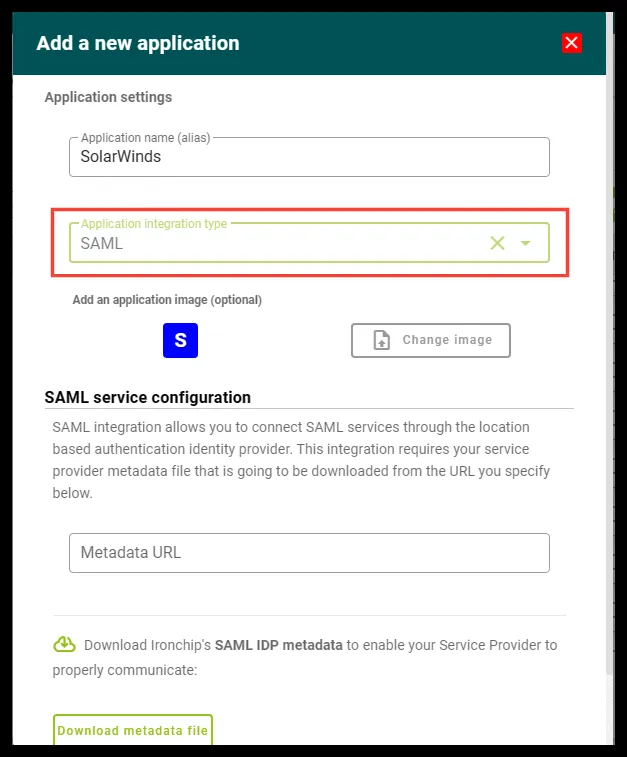
In the Ironchip admin console, create a SAML application.
-
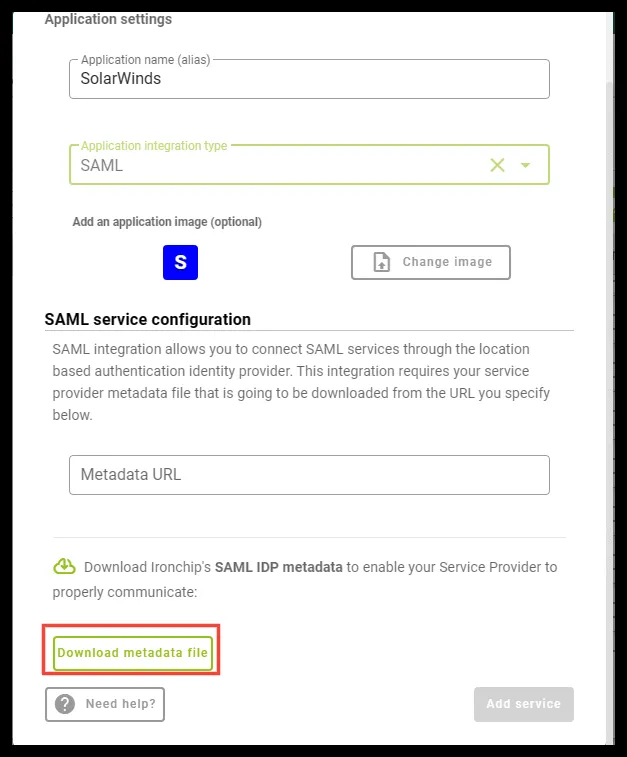
Download the metadata file.
Configure SolarWinds
Section titled “Configure SolarWinds”Add the identity provider
Section titled “Add the identity provider”-
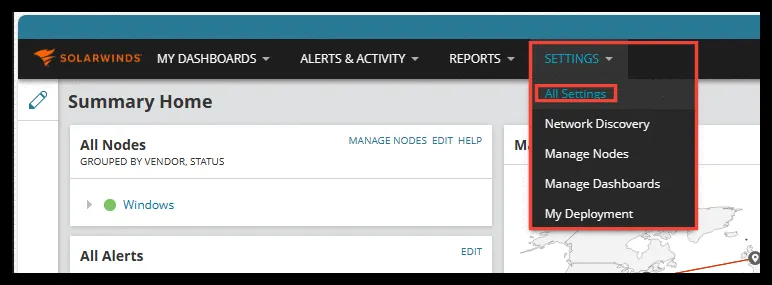
Go to Settings and then All Settings.
-
Under USER ACCOUNTS, click SAML Configuration.

-
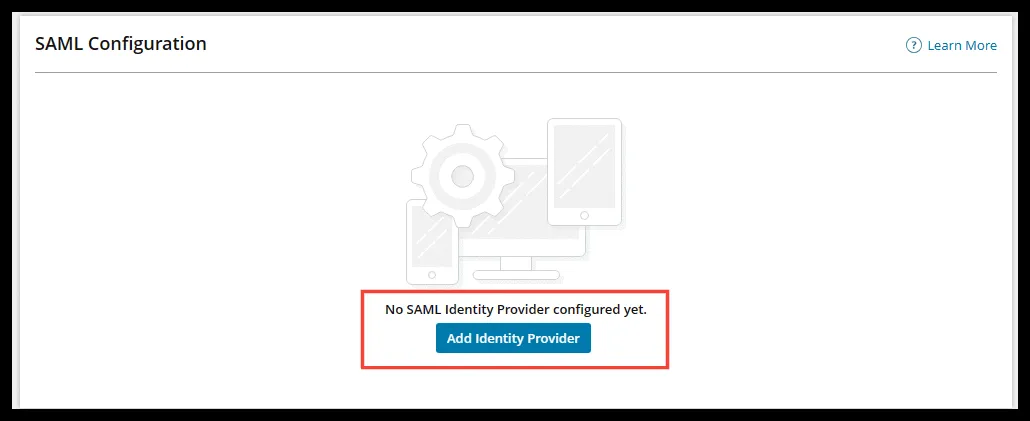
Add a new Identity Provider.
-
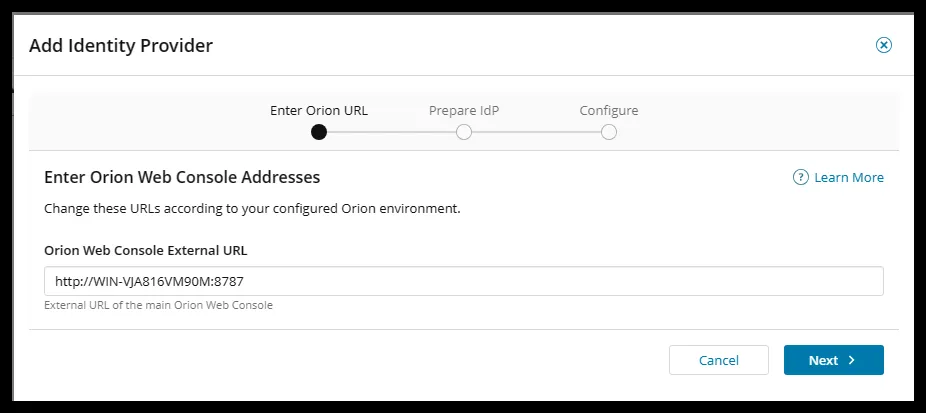
On the first page, check that the URL is correct and click Next.
-
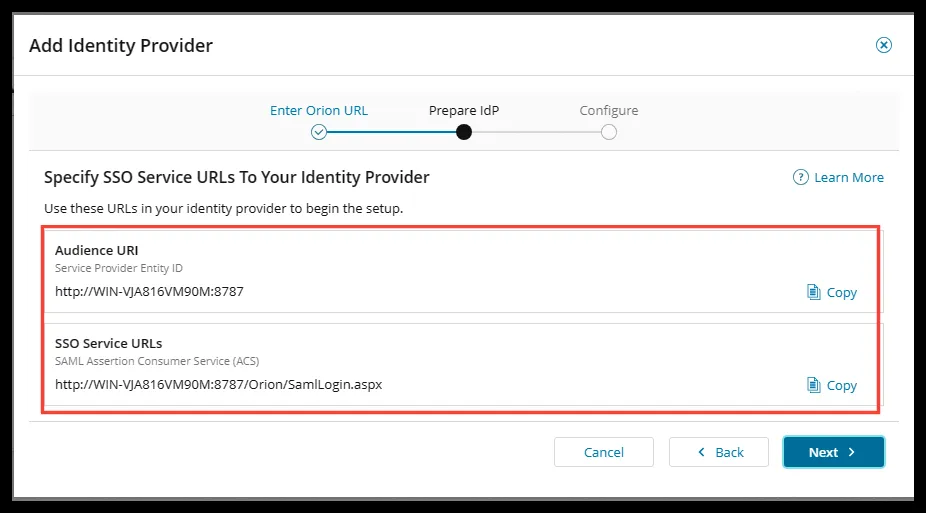
The next page shows two values: the Audience URI and the SSO Service URL. Make a note of them.
Generate the metadata URL for Ironchip
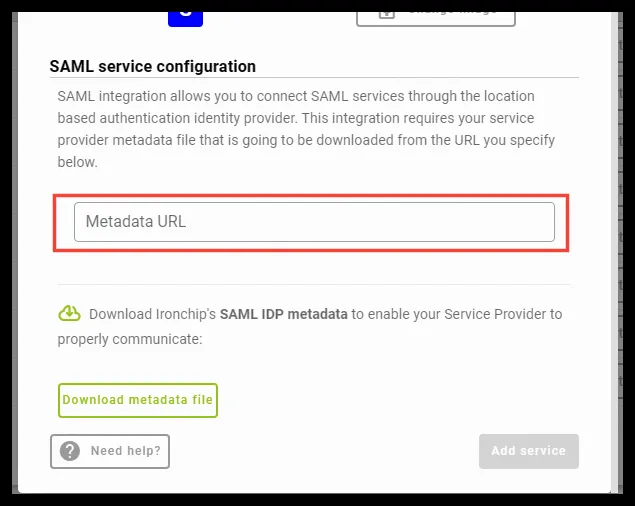
Section titled “Generate the metadata URL for Ironchip”Ironchip asks for the URL of the service provider metadata. To get it, use this code as a reference and replace the values:
<?xml version="1.0" encoding="UTF-8"?><md:EntityDescriptor xmlns:md="urn:oasis:names:tc:SAML:2.0:metadata" validUntil="2122-09-16T10:40:54Z" cacheDuration="PT604800S" entityID="<AUDIENCE_URI>"> <md:SPSSODescriptor AuthnRequestsSigned="false" WantAssertionsSigned="false" protocolSupportEnumeration="urn:oasis:names:tc:SAML:2.0:protocol"> <md:NameIDFormat>urn:oasis:names:tc:SAML:1.1:nameid-format:emailAddress</md:NameIDFormat> <md:AssertionConsumerService Binding="urn:oasis:names:tc:SAML:2.0:bindings:HTTP-POST" Location="<SSO_SERVICE_URL>" index="1"/> </md:SPSSODescriptor></md:EntityDescriptor>- Replace the content of
entityIDwith the Audience URI. - Replace the content of
Locationwith the SSO Service URL.
Once you have the block with the changed data, upload it to a public internet address and enter its URL, in raw format, in the Metadata URL field of the Ironchip application.
Complete the identity provider details
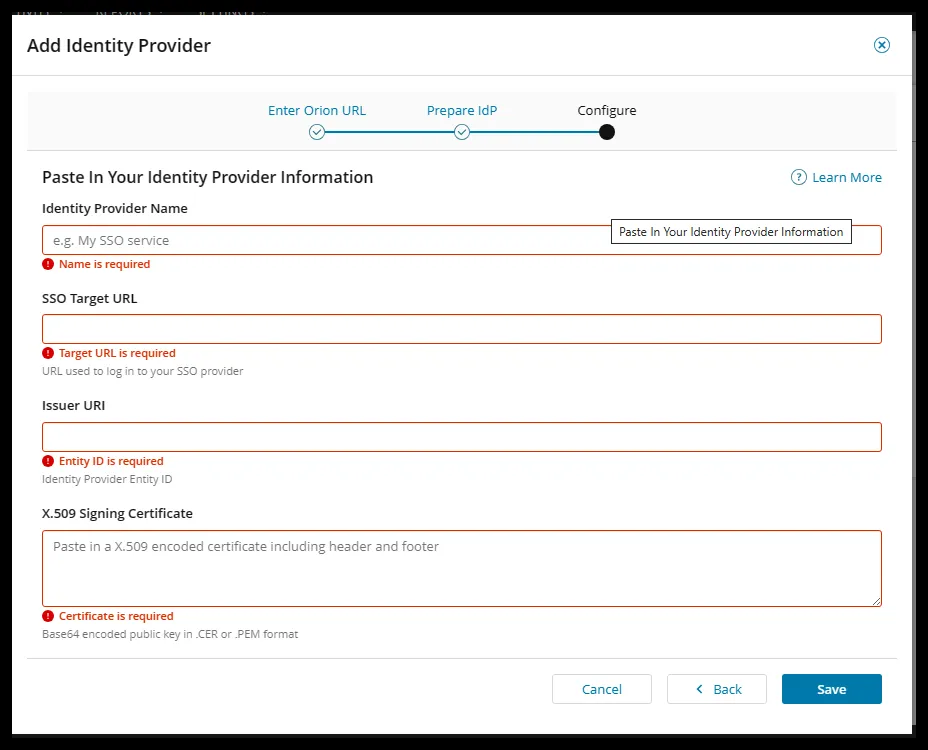
Section titled “Complete the identity provider details”Configure the fields with this data:
-
Identity Provider Name: any name you like for the new authentication method.
-
SSO Target URL: the
Locationproperty of theSingleSignOnServiceXML tag in the metadata file you downloaded from Ironchip.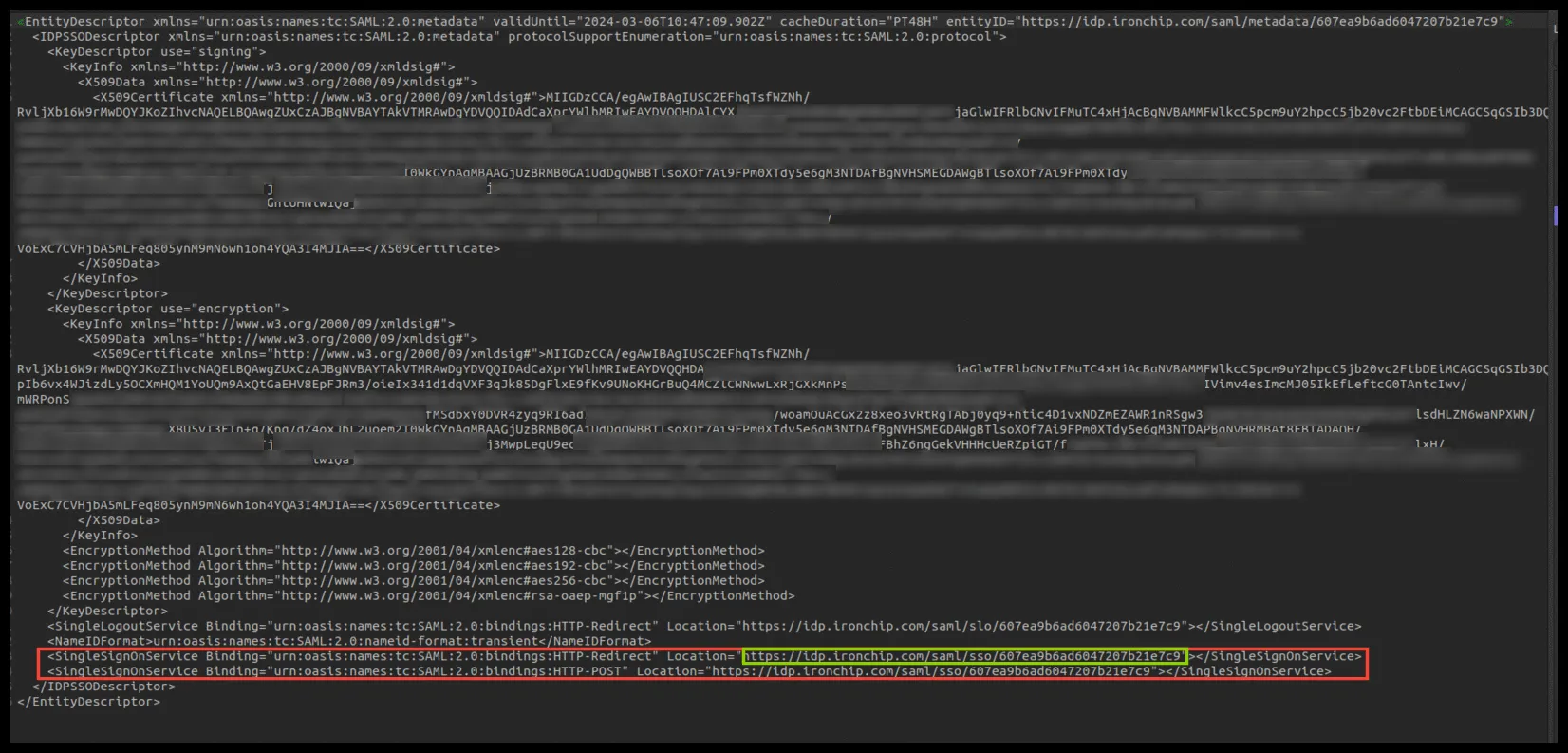
-
Issuer URI: the
entityIDproperty of theEntityDescriptorXML tag in the same metadata file.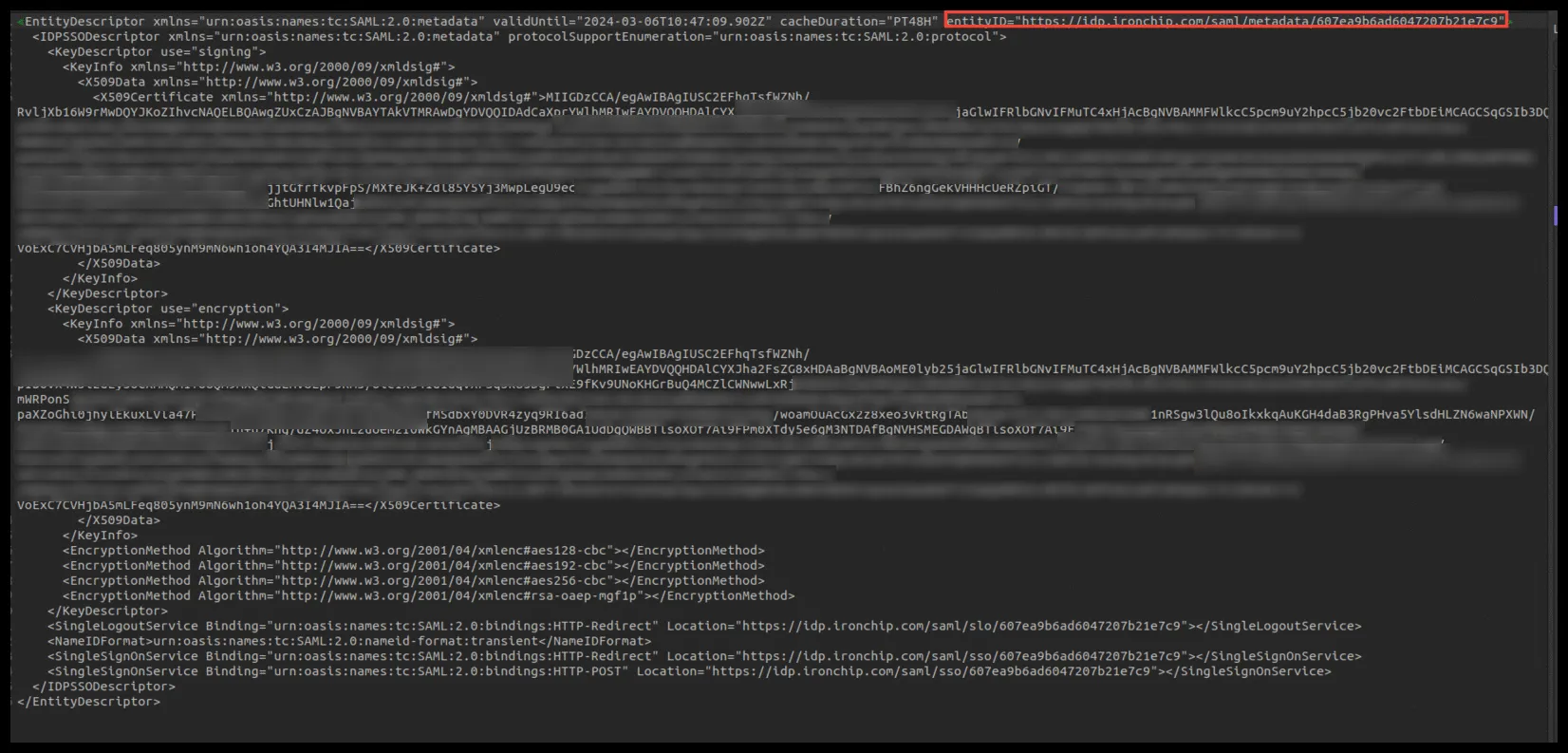
-
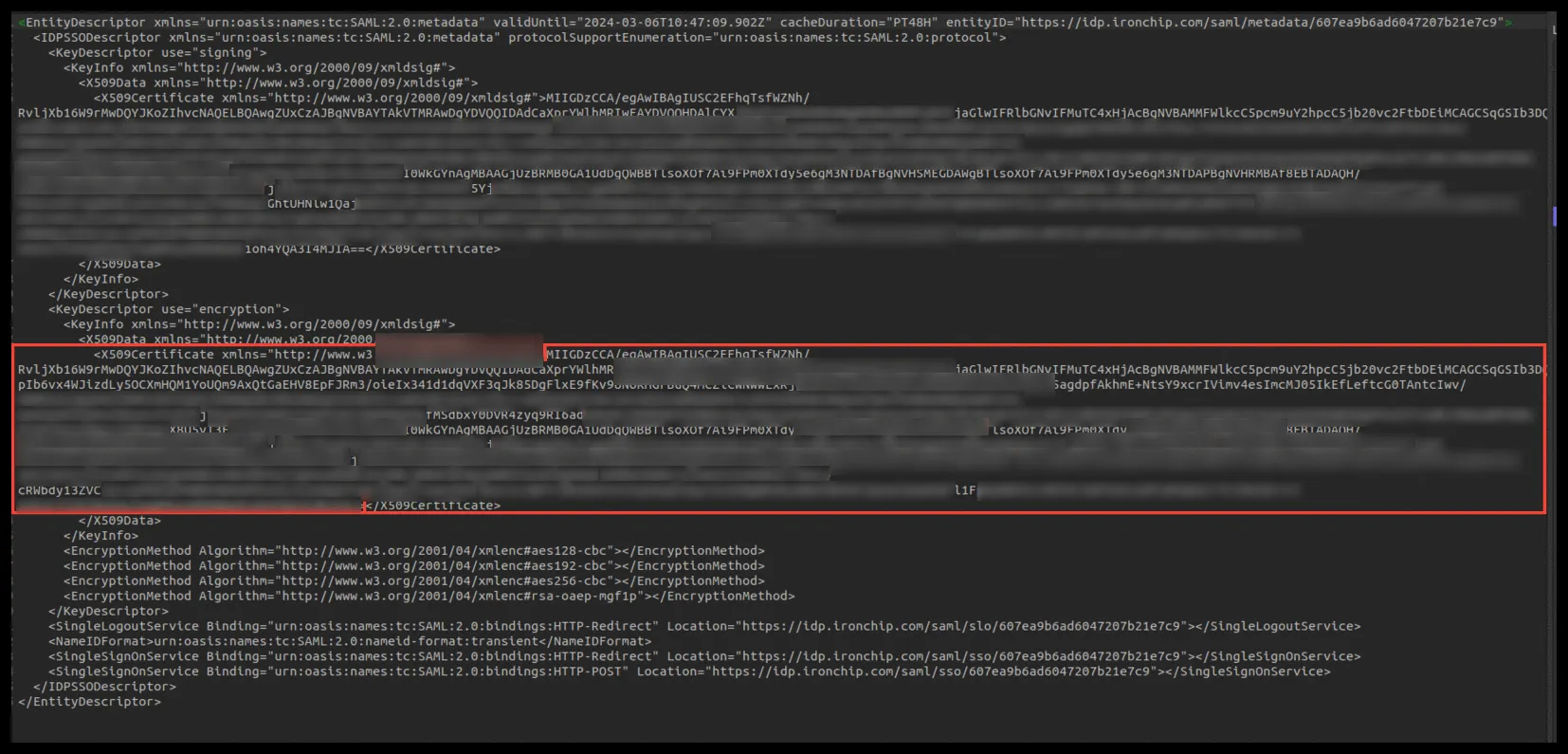
X.509 Signing Certificate: copy the certificate from the Ironchip metadata file and convert it to the X.509 certificate format. You can use this website.
Create the SAML user
Section titled “Create the SAML user”Create a SAML-type user in SolarWinds and use the same name in the Ironchip access.
-
In All Settings, go to User Accounts and open Manage Accounts.

-
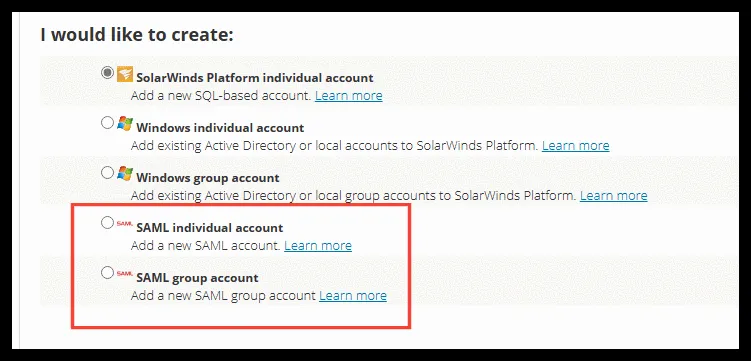
When you create the account, select one of the two SAML-type options and configure the account or group to your needs.
-
Use the same username in the Ironchip access.
Verify the integration
Section titled “Verify the integration”This video shows a functionality test of the integration:
Was this page helpful?
Thank you. We will use it to improve the documentation. If you want to tell us what is missing or unclear, write to support@ironchip.com.