

ITDR event export
Filter the ITDR events you want to review or export, then request the export: you receive a file with the selected events by email.
Filter by user and risk
Section titled “Filter by user and risk”There are two main filters to choose the events you want to review or export:
- Email: selects the events associated with a specific user.
- Risk level: filters events by their risk level.
You can combine both filters. For example, select a specific email and show only the events with a high risk level.

Filter by date
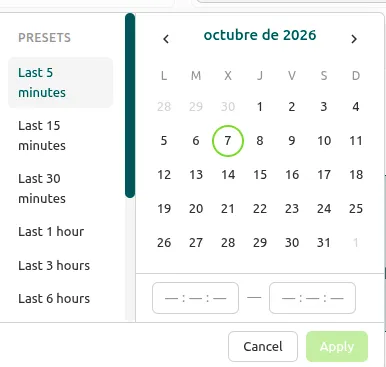
Section titled “Filter by date”You can also limit the events to a time period, such as the last week or a custom period. The console offers several predefined periods, and you can also enter the start and end dates manually.
Export the events
Section titled “Export the events”-
Apply the filters you need.
-
Click Export CSV to request the export.

-
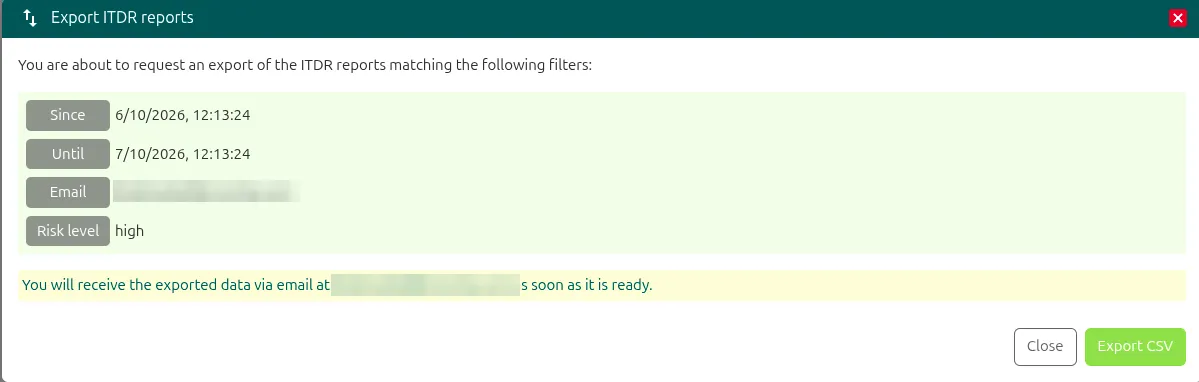
In the Export ITDR reports window, review the filters and click Export CSV. As soon as it is ready, you receive an email with an attached file containing the selected events.
-
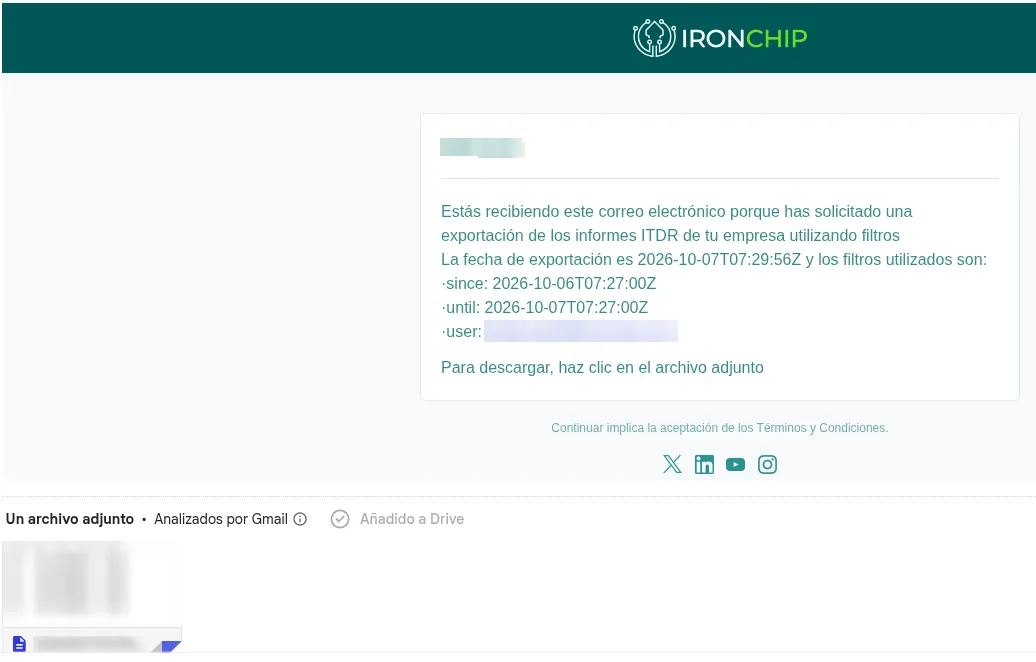
Open the email. The attached file includes all the information requested according to the filters you applied.
Was this page helpful?
Thank you. We will use it to improve the documentation. If you want to tell us what is missing or unclear, write to support@ironchip.com.