

HashiCorp Vault
This guide configures HashiCorp Vault so that users sign in with Ironchip through OIDC. It covers the application in Ironchip, the auth method in Vault, and the user and administrator policies and roles.
Requirements
Section titled “Requirements”- Access to the Ironchip admin console.
- A user with permissions to configure Vault.
Configure Ironchip
Section titled “Configure Ironchip”In the Applications section you can see all the protected services added to Ironchip and their features.
-
Click New application. A new window opens.
-
Click Custom application.
-
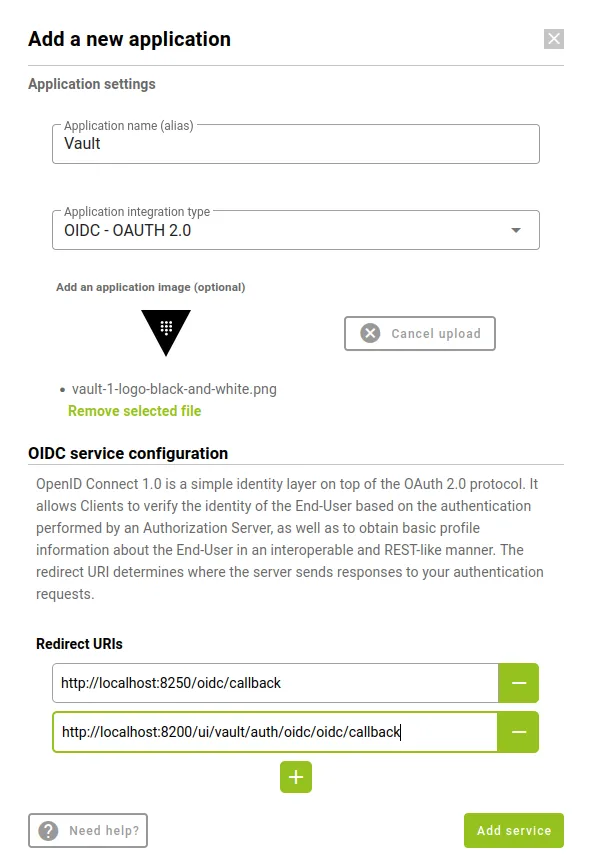
Fill in the parameters of the new application:
-
Application name.
-
Integration type: OIDC - OAuth 2.0.
-
Redirect URIs:
http://<your-service-host>:8250/oidc/callbackhttp://<your-service-host>:8200/ui/vault/auth/oidc/oidc/callback
-
-
Click Add service. The service appears in the corresponding section.
Configure Vault
Section titled “Configure Vault”Enable the OIDC auth method
Section titled “Enable the OIDC auth method”-
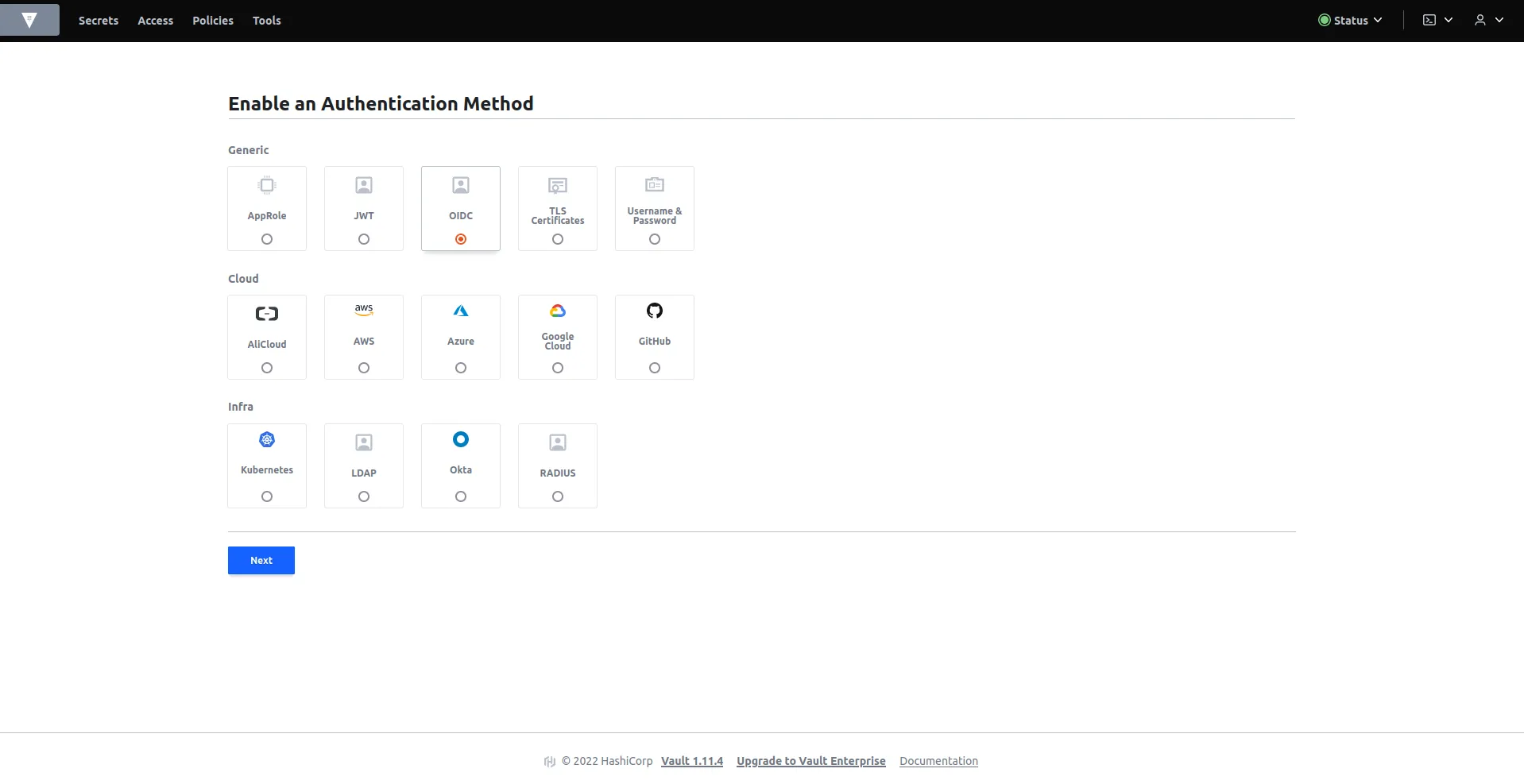
In the Access tab, create a new oidc authentication method.
-
Enter the path
oidc, enable List method when unauthenticated, and click the button to enable the method.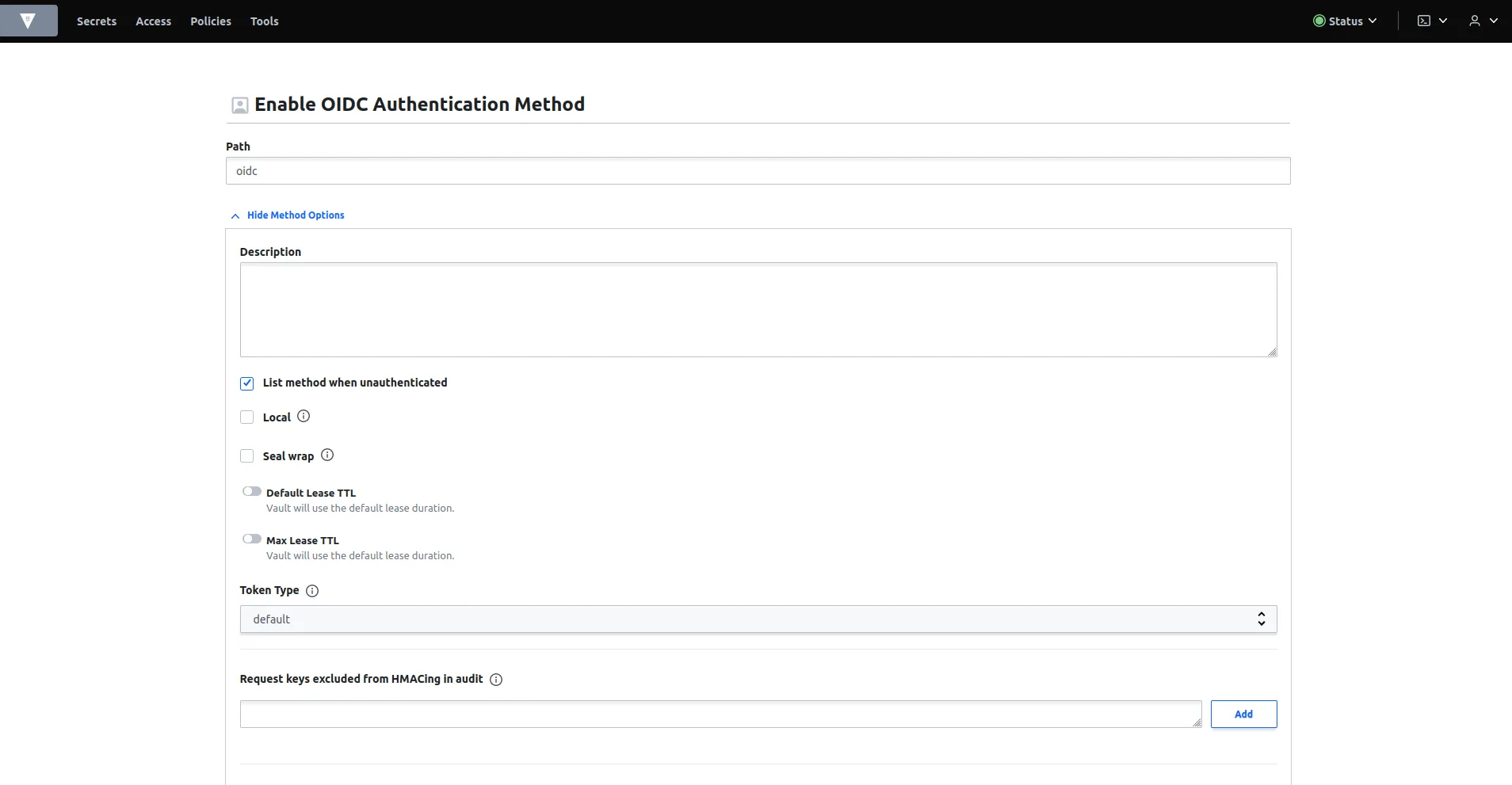
-
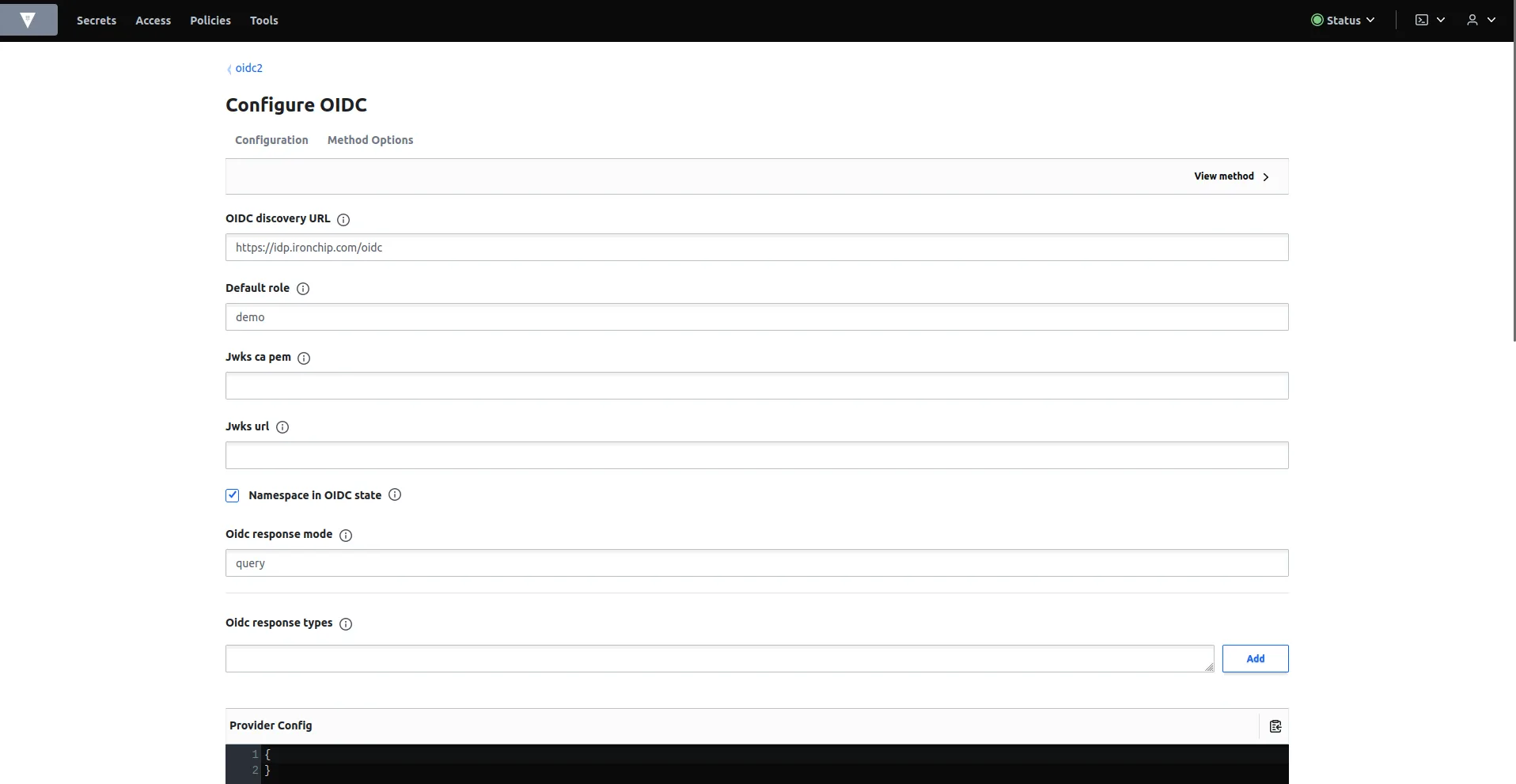
In the OIDC configuration, fill in these parameters:
- OIDC discovery url:
https://idp.ironchip.com/oidc - Default role:
demo - OIDC response mode:
query
- OIDC discovery url:
-
Fill in these two fields with the data Ironchip returned when you created the application:
- OIDC client ID: the client ID.
- OIDC client secret: the client secret.
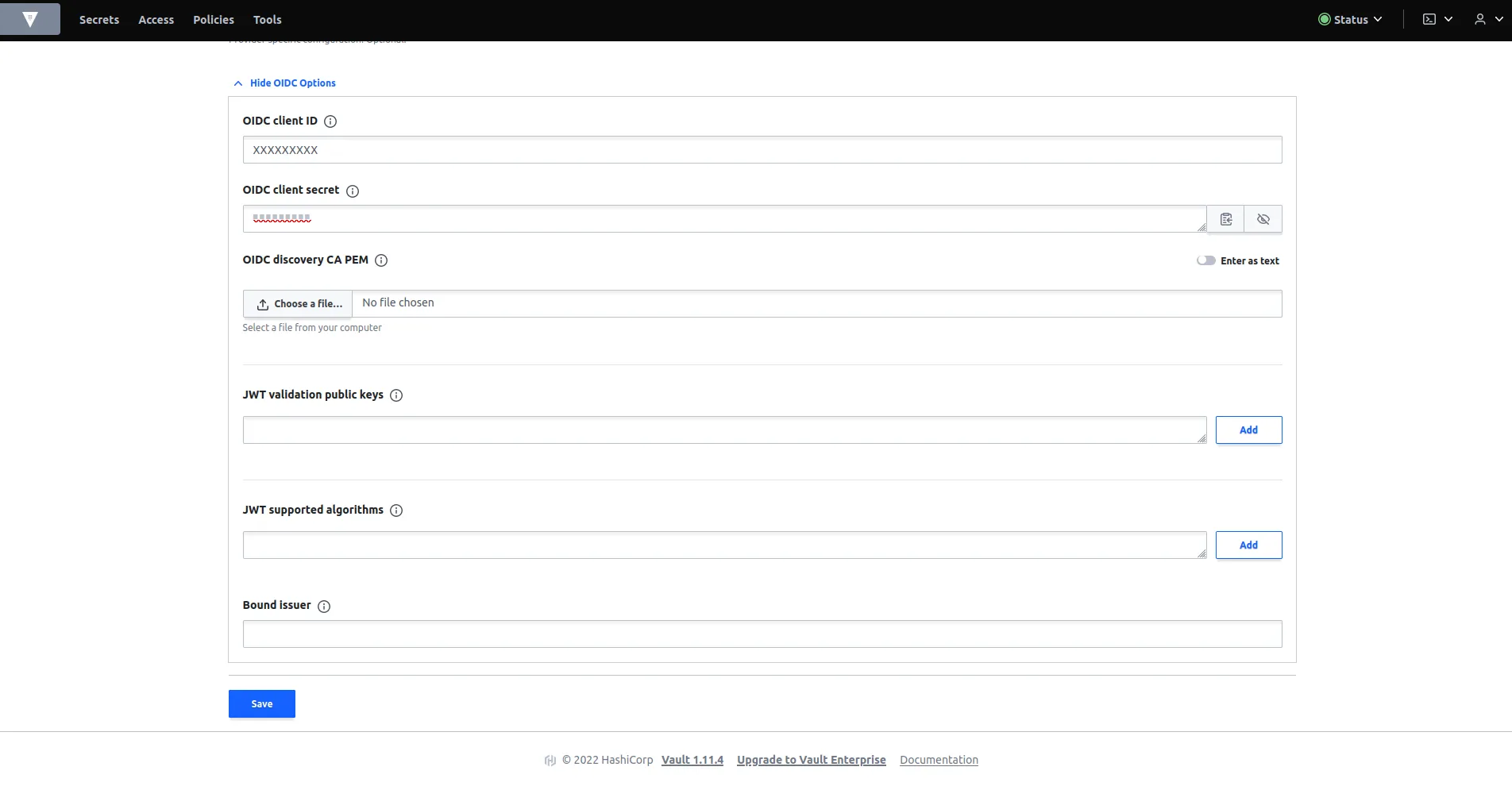
-
Click save. The new oidc authentication method is created.
Create the policies
Section titled “Create the policies”In the policies tab, if no default policy is defined, create it with the following content. It is the policy for ordinary users, who will not have access to the policies tab.
# Allow tokens to look up their own propertiespath "auth/token/lookup-self" {    capabilities = ["read"]}
# Allow tokens to renew themselvespath "auth/token/renew-self" {    capabilities = ["update"]}
# Allow tokens to revoke themselvespath "auth/token/revoke-self" {    capabilities = ["update"]}
# Allow a token to look up its own capabilities on a pathpath "sys/capabilities-self" {    capabilities = ["update"]}
# Allow a token to look up its own entity by id or namepath "identity/entity/id/{{identity.entity.id}}" {  capabilities = ["read"]}path "identity/entity/name/{{identity.entity.name}}" {  capabilities = ["read"]}
# Allow a token to look up its resultant ACL from all policies. This is useful# for UIs. It is an internal path because the format may change at any time# based on how the internal ACL features and capabilities change.path "sys/internal/ui/resultant-acl" {    capabilities = ["read"]}
# Allow a token to renew a lease via lease_id in the request body; old path for# old clients, new path for newerpath "sys/renew" {    capabilities = ["update"]}path "sys/leases/renew" {    capabilities = ["update"]}
# Allow looking up lease properties. This requires knowing the lease ID ahead# of time and does not divulge any sensitive information.path "sys/leases/lookup" {    capabilities = ["update"]}
# Allow a token to manage its own cubbyholepath "cubbyhole/*" {    capabilities = ["create", "read", "update", "delete", "list"]}
# Allow a token to wrap arbitrary values in a response-wrapping tokenpath "sys/wrapping/wrap" {    capabilities = ["update"]}
# Allow a token to look up the creation time and TTL of a given# response-wrapping tokenpath "sys/wrapping/lookup" {    capabilities = ["update"]}
# Allow a token to unwrap a response-wrapping token. This is a convenience to# avoid client token swapping since this is also part of the response wrapping# policy.path "sys/wrapping/unwrap" {    capabilities = ["update"]}
# Allow general purpose toolspath "sys/tools/hash" {    capabilities = ["update"]}path "sys/tools/hash/*" {    capabilities = ["update"]}
# Allow checking the status of a Control Group request if the user has the# accessorpath "sys/control-group/request" {    capabilities = ["update"]}
# Allow a token to make requests to the Authorization Endpoint for OIDC providers.path "identity/oidc/provider/+/authorize" {  capabilities = ["read", "update"]}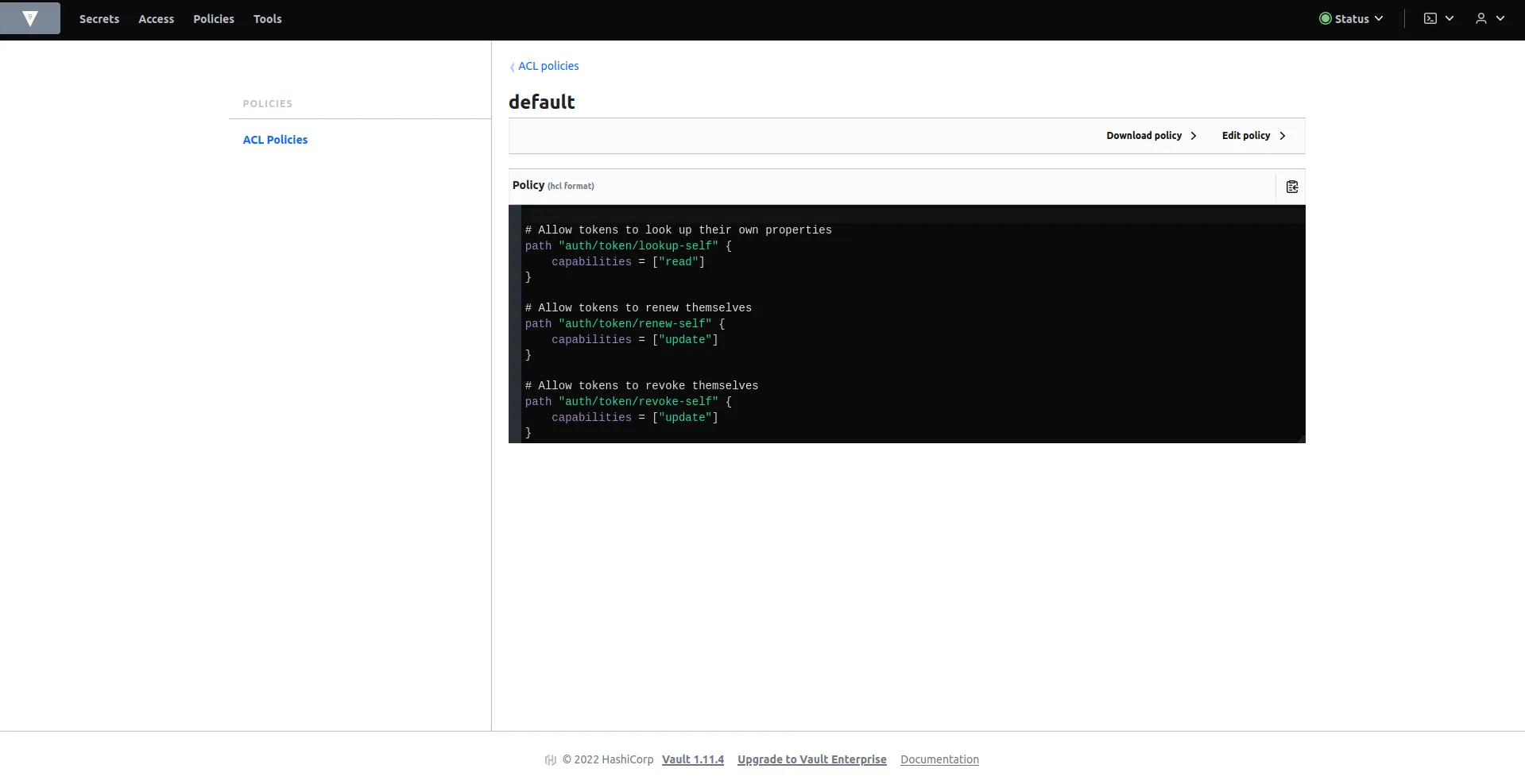
If you want to configure an administrator user, create an admin policy with this content:
path "sys/health"{  capabilities = ["read", "sudo"]}
path "sys/policies/acl"{  capabilities = ["list"]}
path "sys/policies/acl/*"{  capabilities = ["create", "read", "update", "delete", "list", "sudo"]}
path "auth/*"{  capabilities = ["create", "read", "update", "delete", "list", "sudo"]}
path "sys/auth/*"{  capabilities = ["create", "update", "delete", "sudo"]}
path "sys/auth"{  capabilities = ["read"]}
path "secret/*"{  capabilities = ["create", "read", "update", "delete", "list", "sudo"]}
path "sys/mounts/*"{  capabilities = ["create", "read", "update", "delete", "list", "sudo"]}
path "sys/mounts"{  capabilities = ["read"]}
Create the roles
Section titled “Create the roles”Once the policies are defined, create a role for each one. You do it from the terminal enabled in the Vault application. Replace CLIENT_ID with the client ID of the Ironchip application.
For the common user, create the demo role:
vault write auth/oidc/role/demo \ bound_audiences="CLIENT_ID" \ allowed_redirect_uris="http://<your-service-host>:8200/ui/vault/auth/oidc/oidc/callback" \ allowed_redirect_uris="http://<your-service-host>:8250/oidc/callback" \ user_claim="sub" \ policies="default" \ verbose_oidc_logging="true"For the administrator, create the admin role:
vault write auth/oidc/role/admin \ bound_audiences="CLIENT_ID" \ allowed_redirect_uris="http://<your-service-host>:8200/ui/vault/auth/oidc/oidc/callback" \ allowed_redirect_uris="http://<your-service-host>:8250/oidc/callback" \ user_claim="sub" \ policies="admin" \ verbose_oidc_logging="true"Verify the integration
Section titled “Verify the integration”Before you test, make sure the user is added to the Ironchip application.
- Open the Vault sign-in page and select the OIDC method.
- For an ordinary user, leave the Role empty: Vault uses the default role
demo. To sign in as administrator, enteradmin. - Click Sign in with OIDC Provider. Vault redirects you to Ironchip.
- Authorize the access with Ironchip. You return to Vault signed in with the policies of the role.
Was this page helpful?
Thank you. We will use it to improve the documentation. If you want to tell us what is missing or unclear, write to support@ironchip.com.