

ITDR and activity log
The ITDR (Identity Threat Detection and Response) module in the console is an intrusion detection system: it monitors authentication attempts and detects anomalous patterns, from warnings to fraud detection. Each anomaly produces a report with the type of anomaly, the date it occurred, and the affected user.
Download the PDF manual (in Spanish): ITDR.
What ITDR detects
Section titled “What ITDR detects”ITDR detects, for example, repeated failed logins, attempts from unusual locations, and behavior that falls outside the user’s historical profile. You can configure alert rules and automatic blocking.
Risk rules are described in Policies and dynamic rules, and downloading events is covered in ITDR event export.
Open the event feed
Section titled “Open the event feed”-
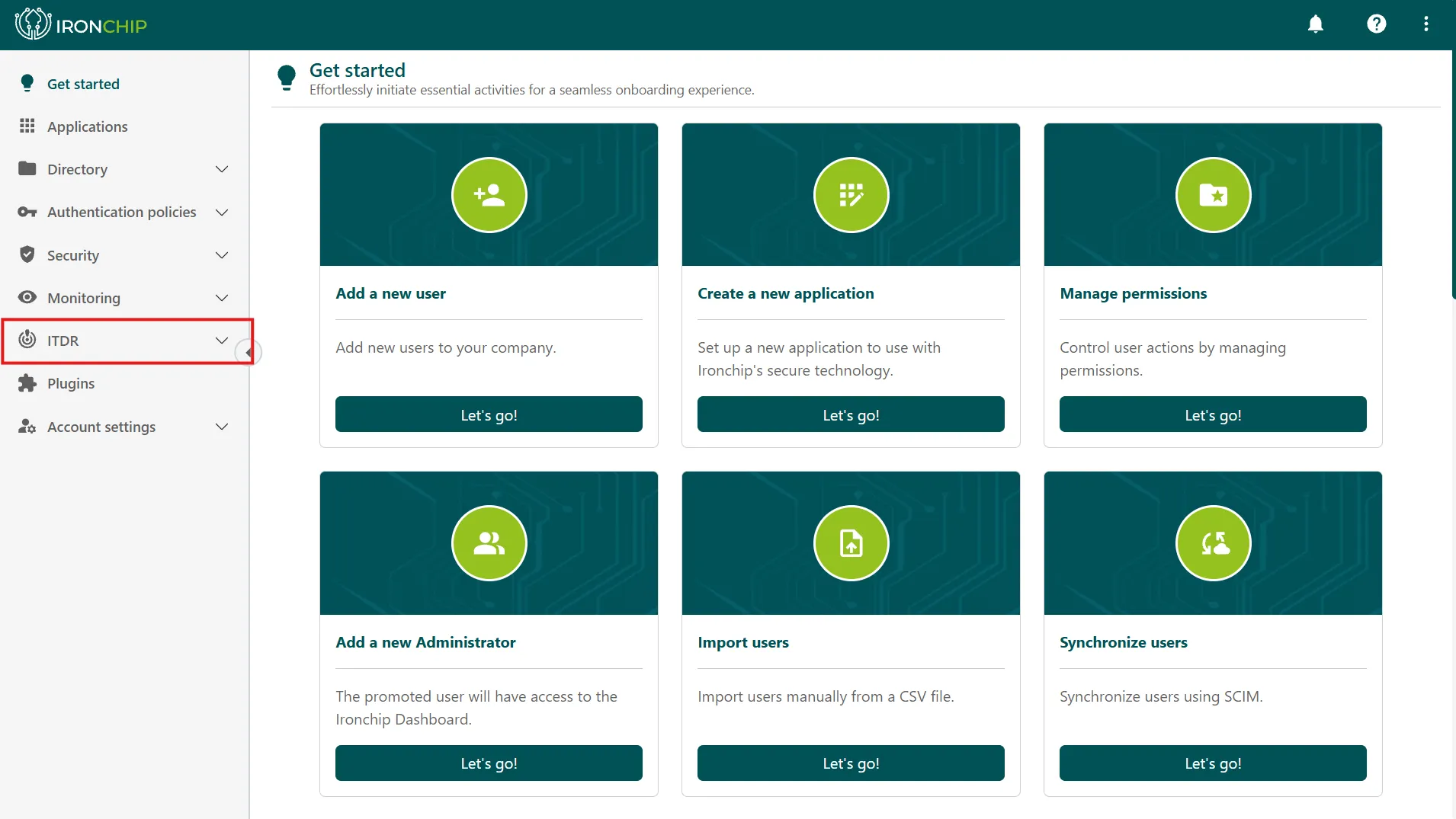
In the main menu of the console, click ITDR to open the module.
-
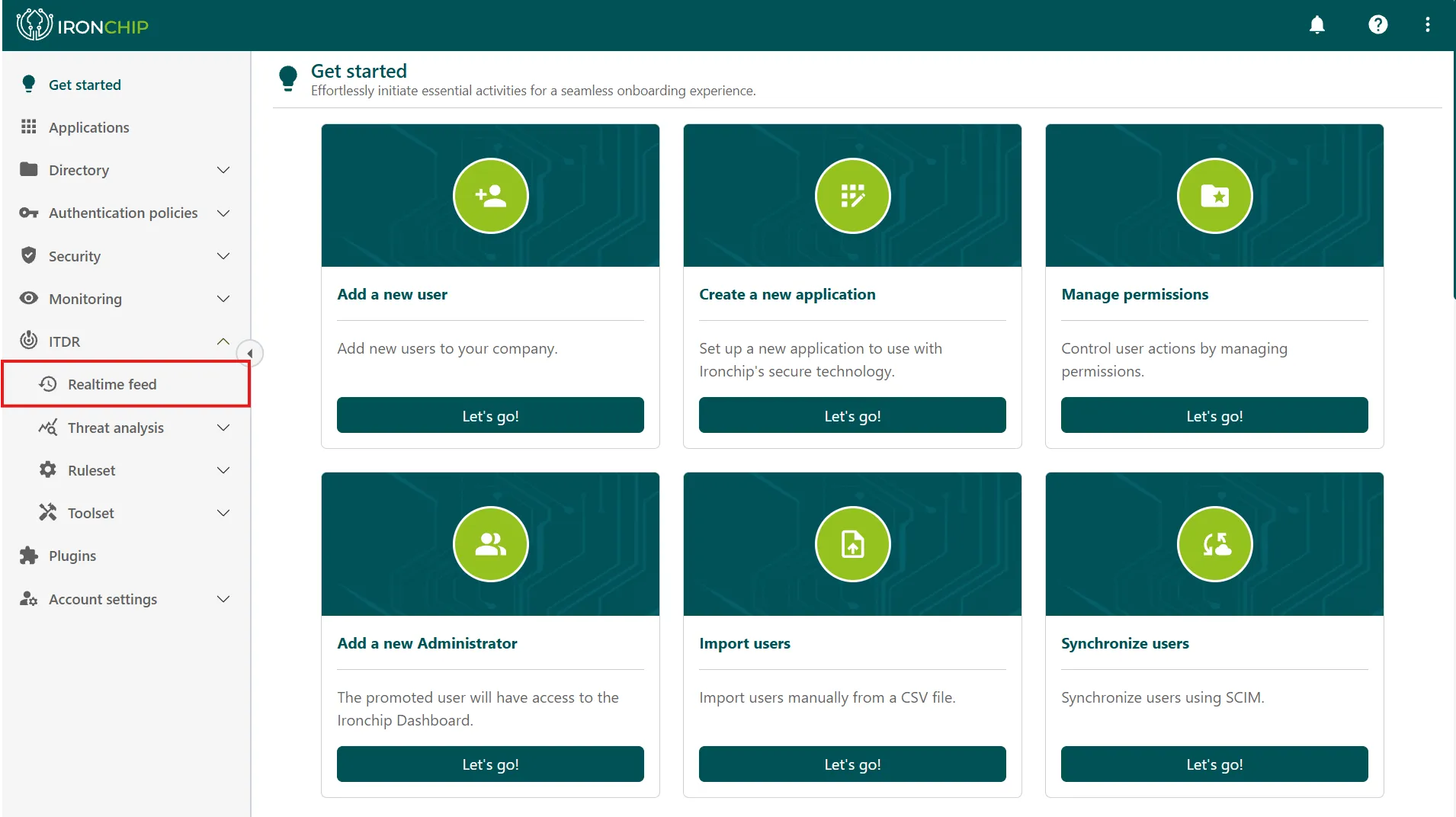
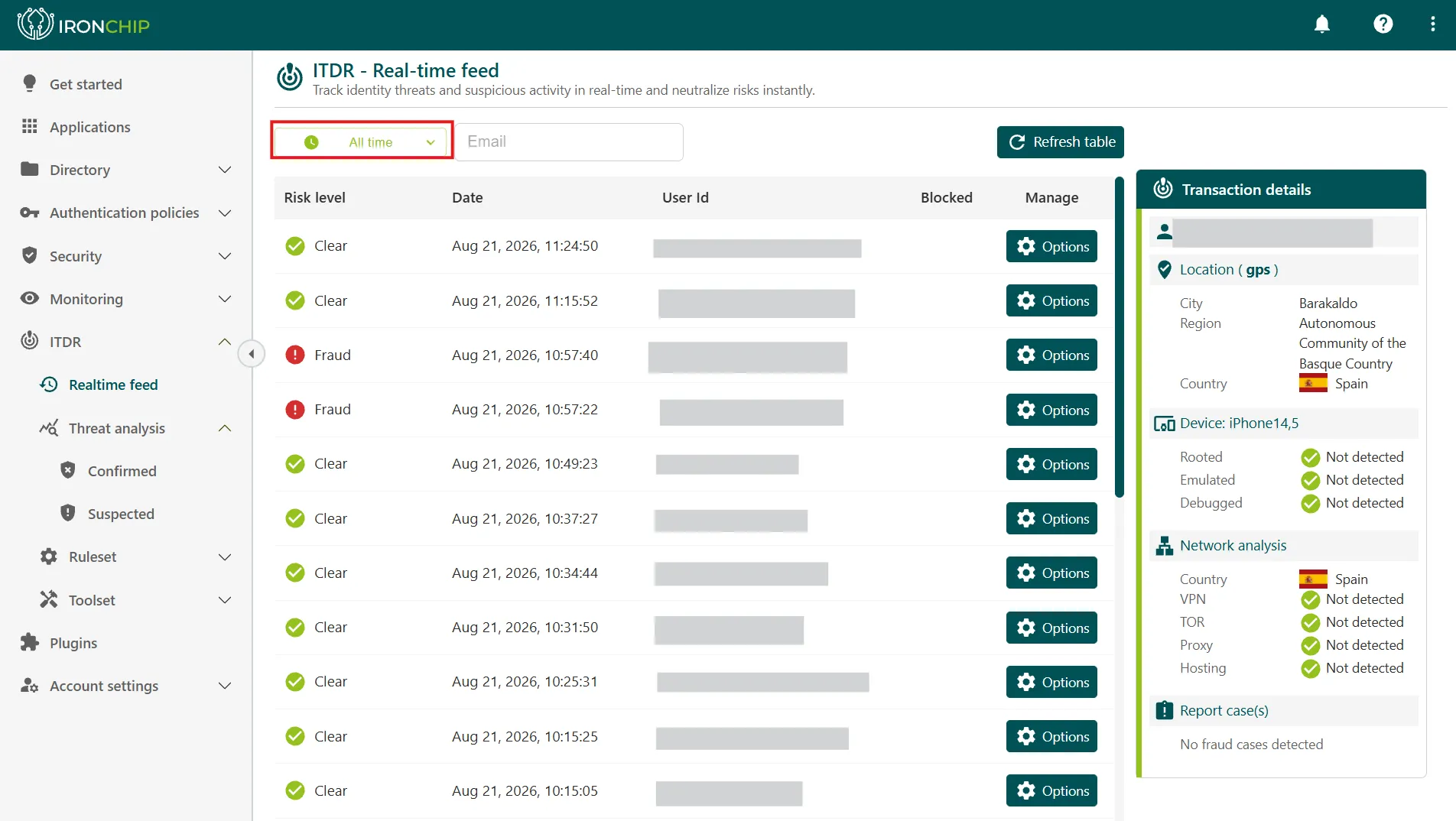
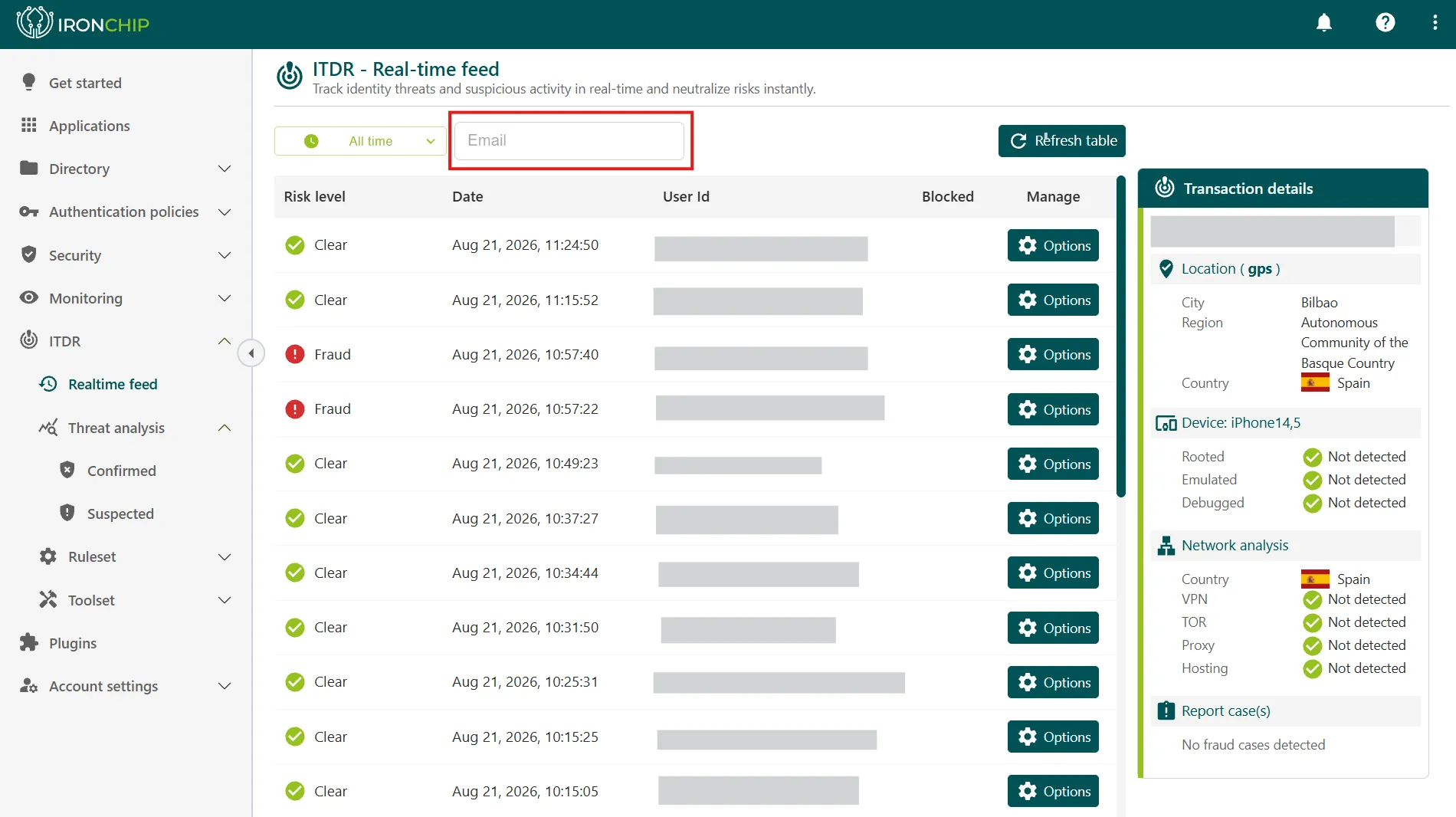
Click Realtime feed to see, as they happen, the events analyzed by the fraud engine.
-
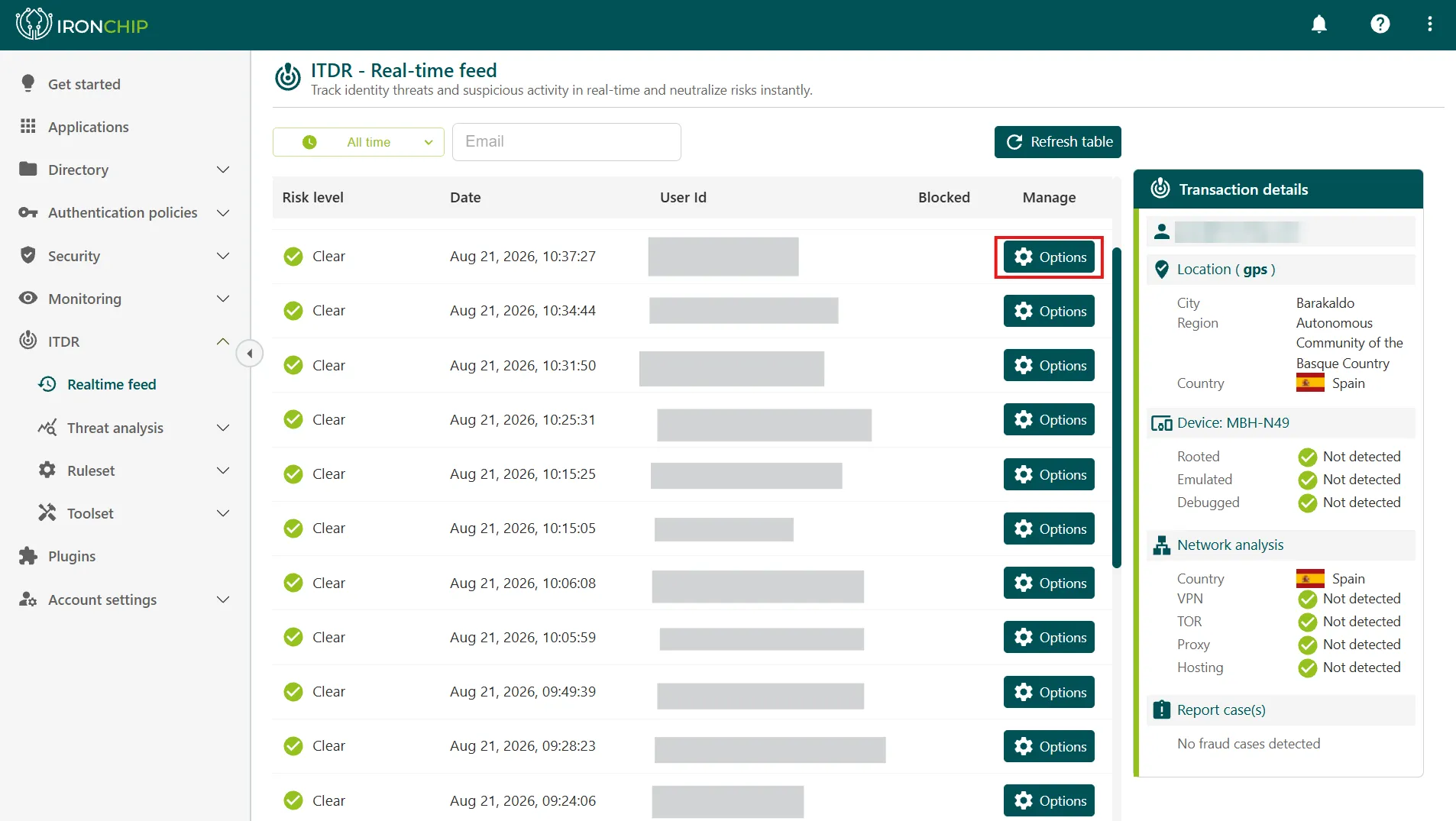
On the event you want to investigate, click Options to show the available actions. On the right, the Transaction details panel summarizes the event: the user, the location, the device (whether it is rooted, emulated, or debugged), the network analysis (country, VPN, TOR, proxy, and hosting), and the associated fraud cases.
-
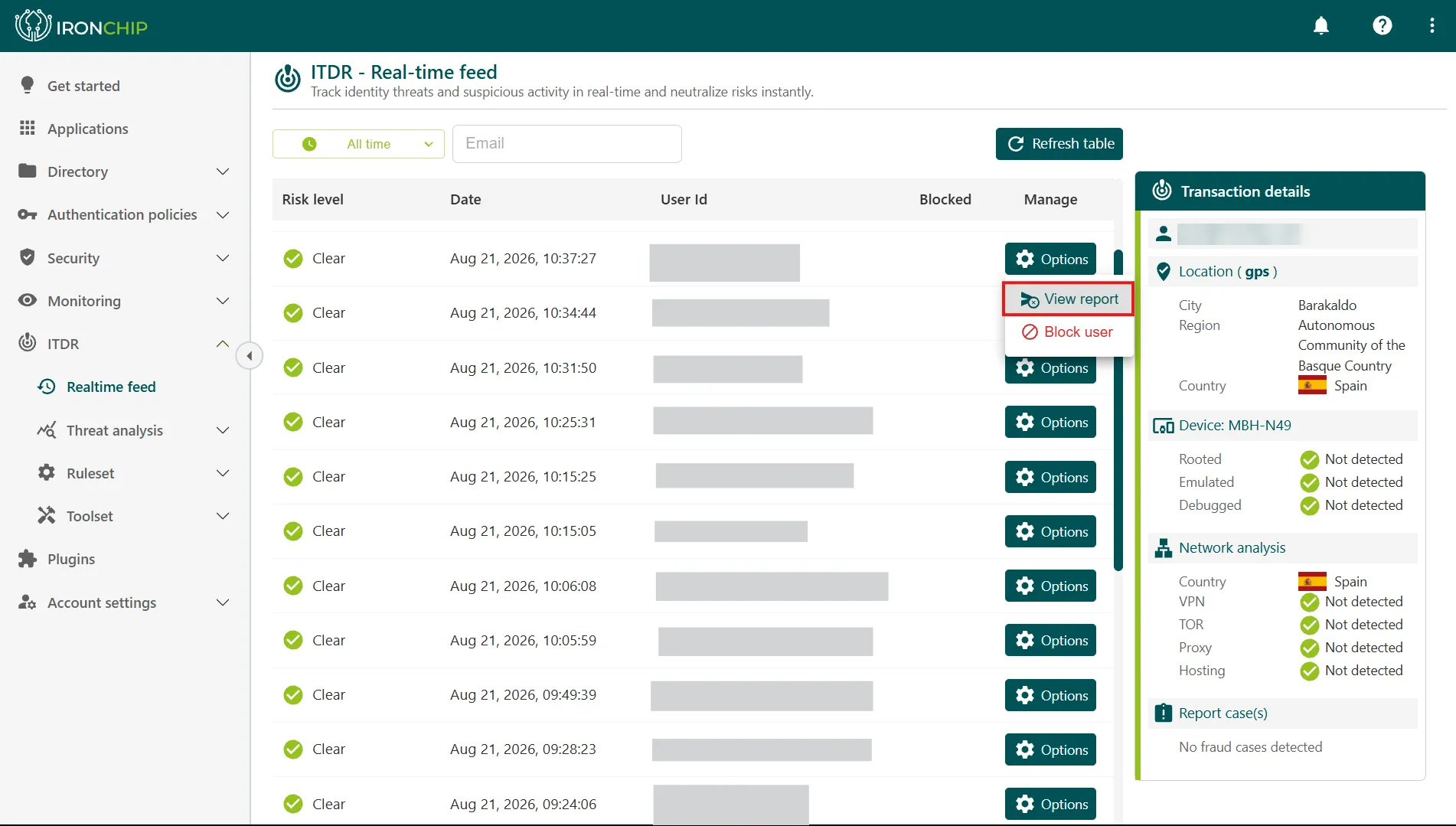
Click View report to open the detailed report of the event, or Block user to block the user if you detect suspicious behavior.
Besides Realtime feed, the ITDR menu includes Threat analysis (with the Confirmed and Suspected views), Ruleset, and Toolset.
Read the report
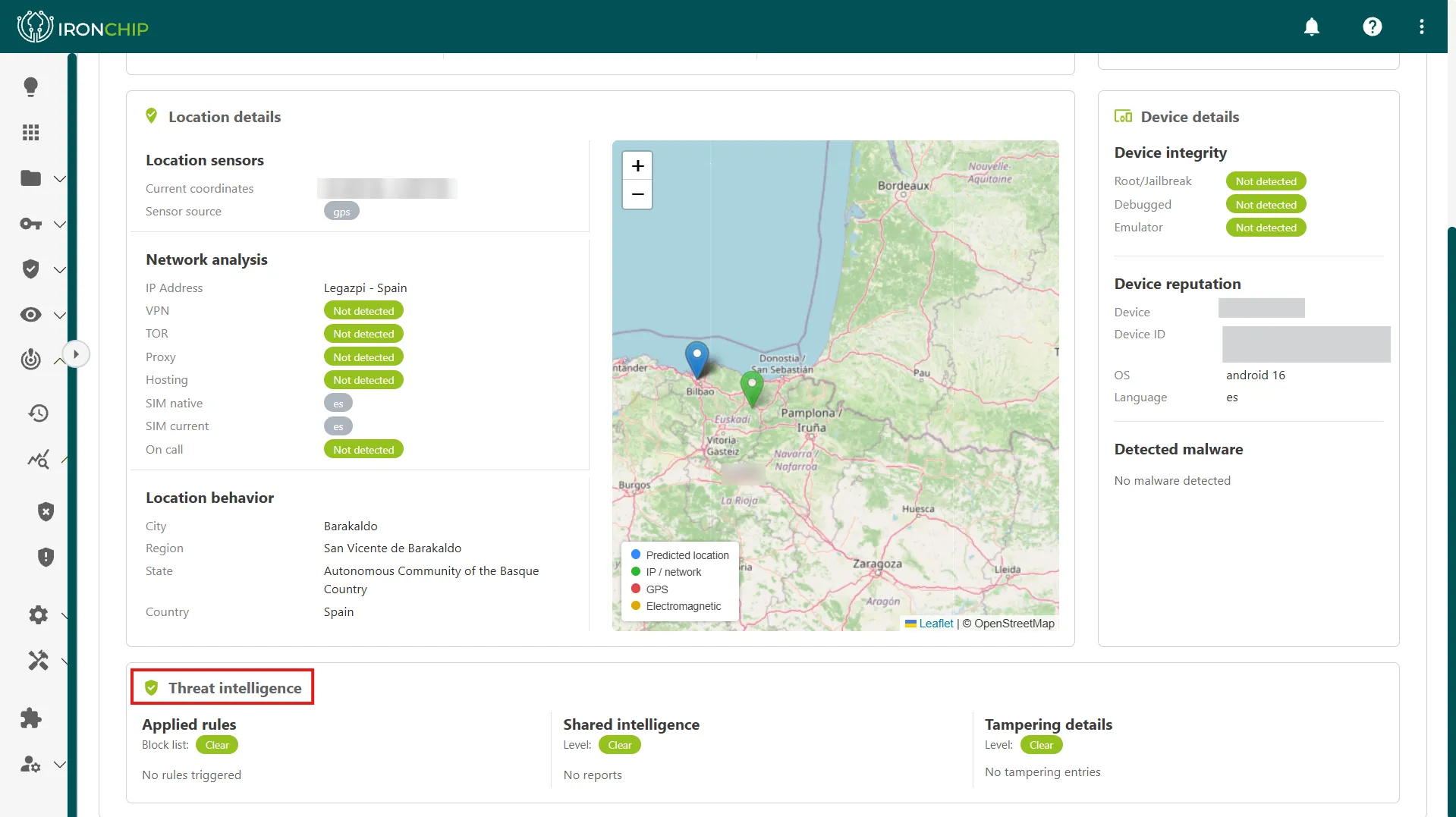
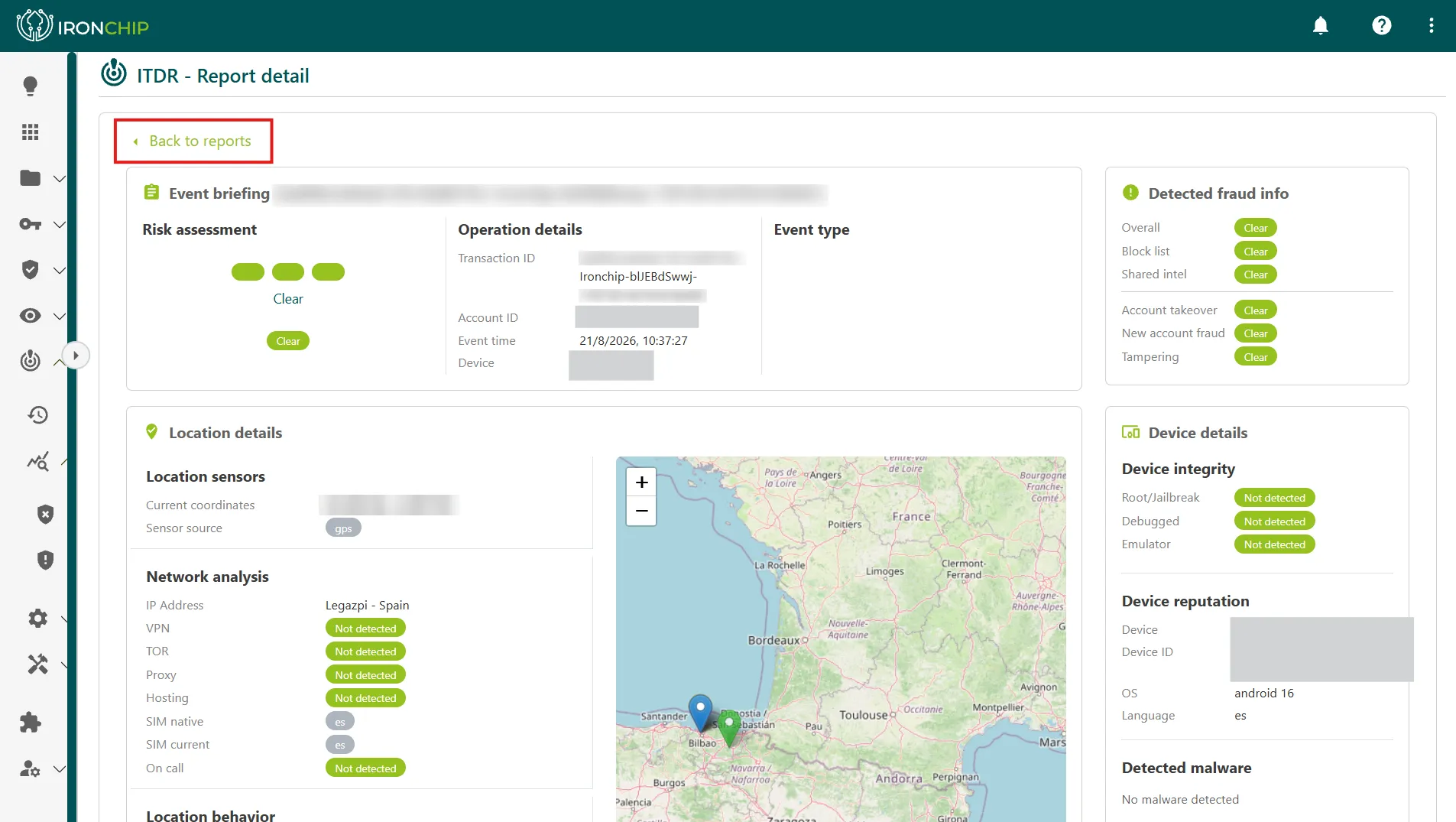
Section titled “Read the report”The report is organized in blocks, and each one gives a different perspective on the same event.
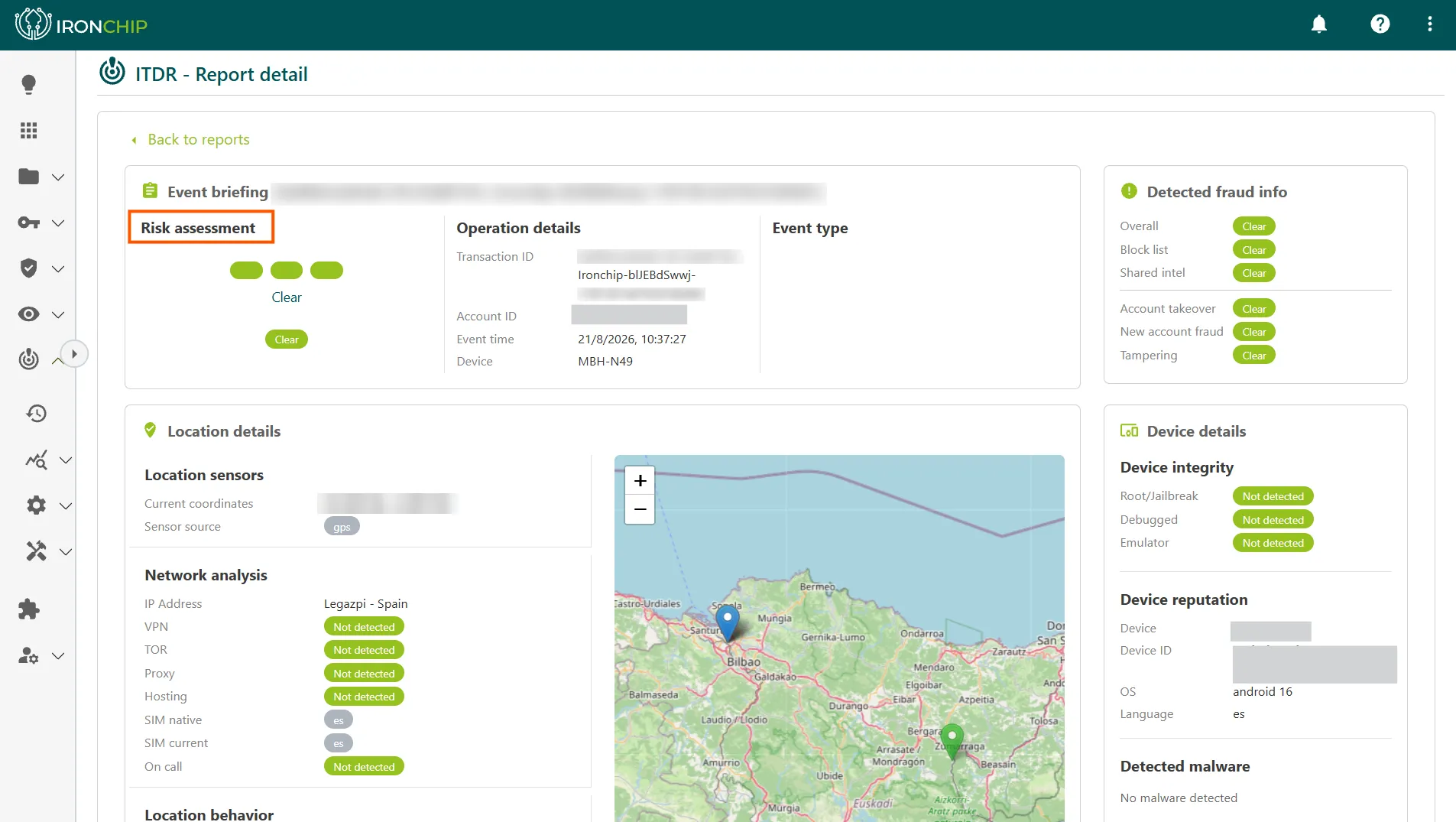
Risk assessment
Section titled “Risk assessment”Risk assessment shows the overall verdict Ironchip calculates for the analyzed action (registration, login, transaction, and so on), based on the system’s confidence level.
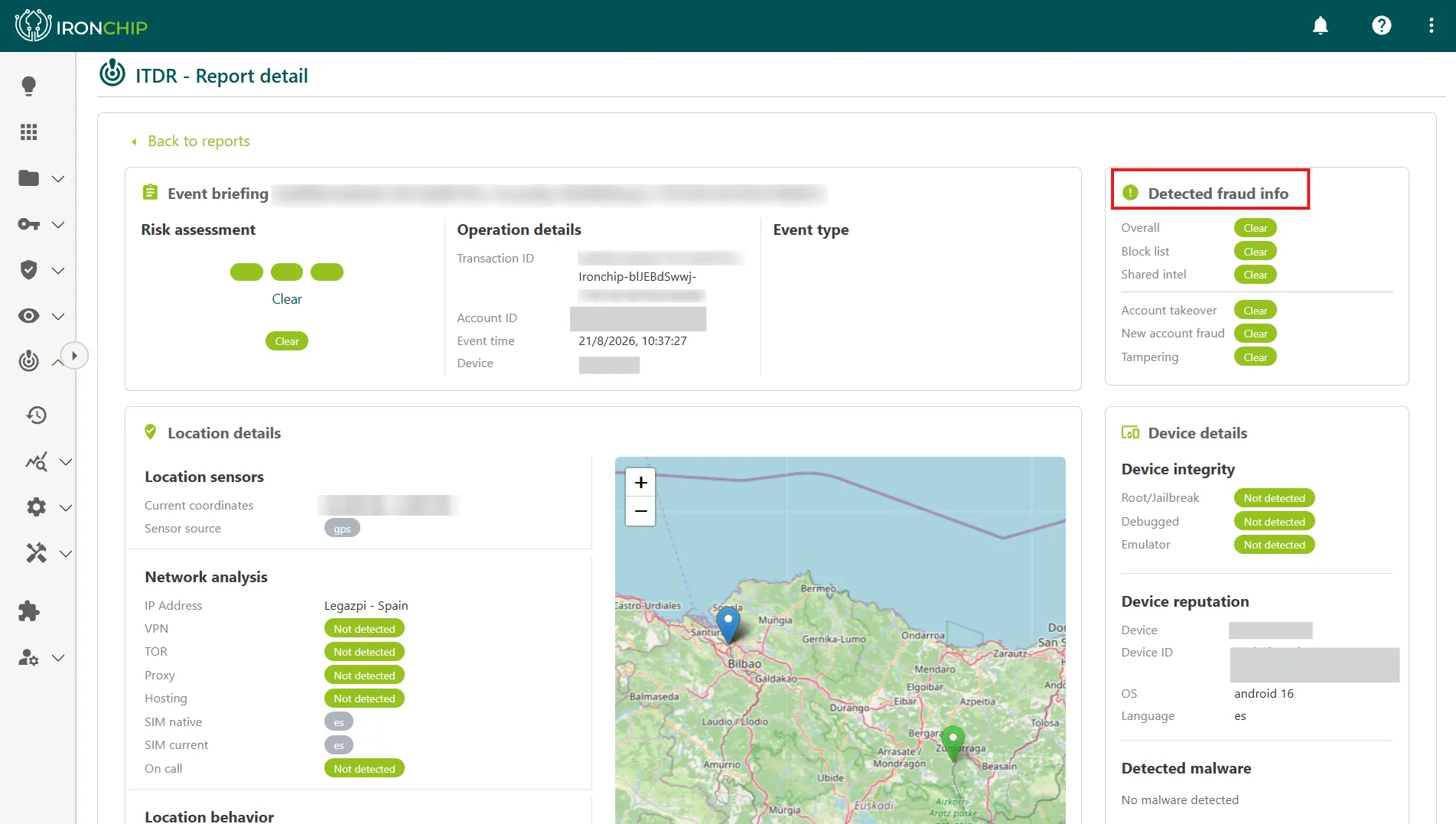
Detected fraud info
Section titled “Detected fraud info”This block contains the written analysis of the case: which pattern was detected and why the event was flagged as suspicious or fraudulent.
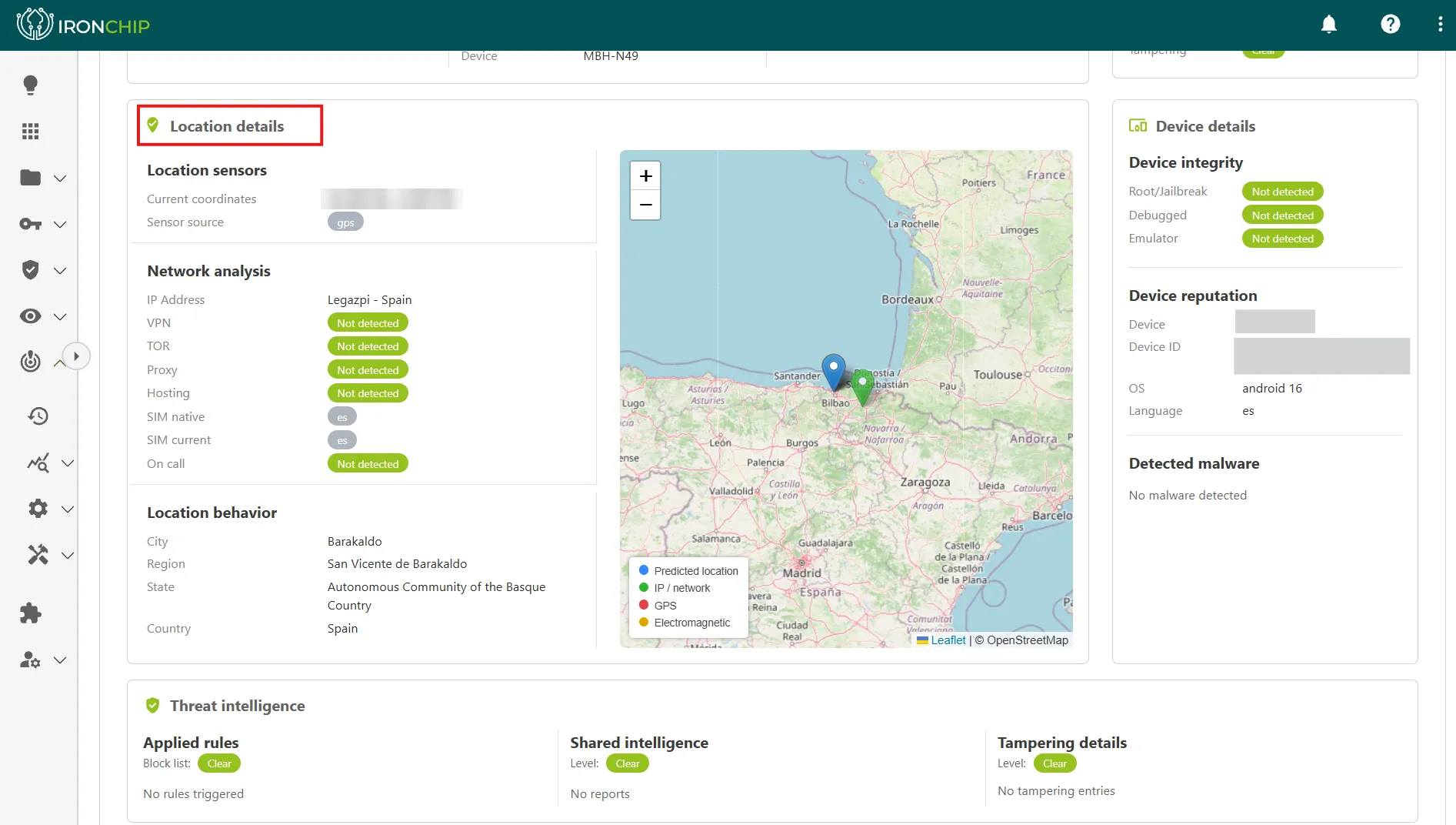
Location details
Section titled “Location details”This block shows the location information associated with the event.
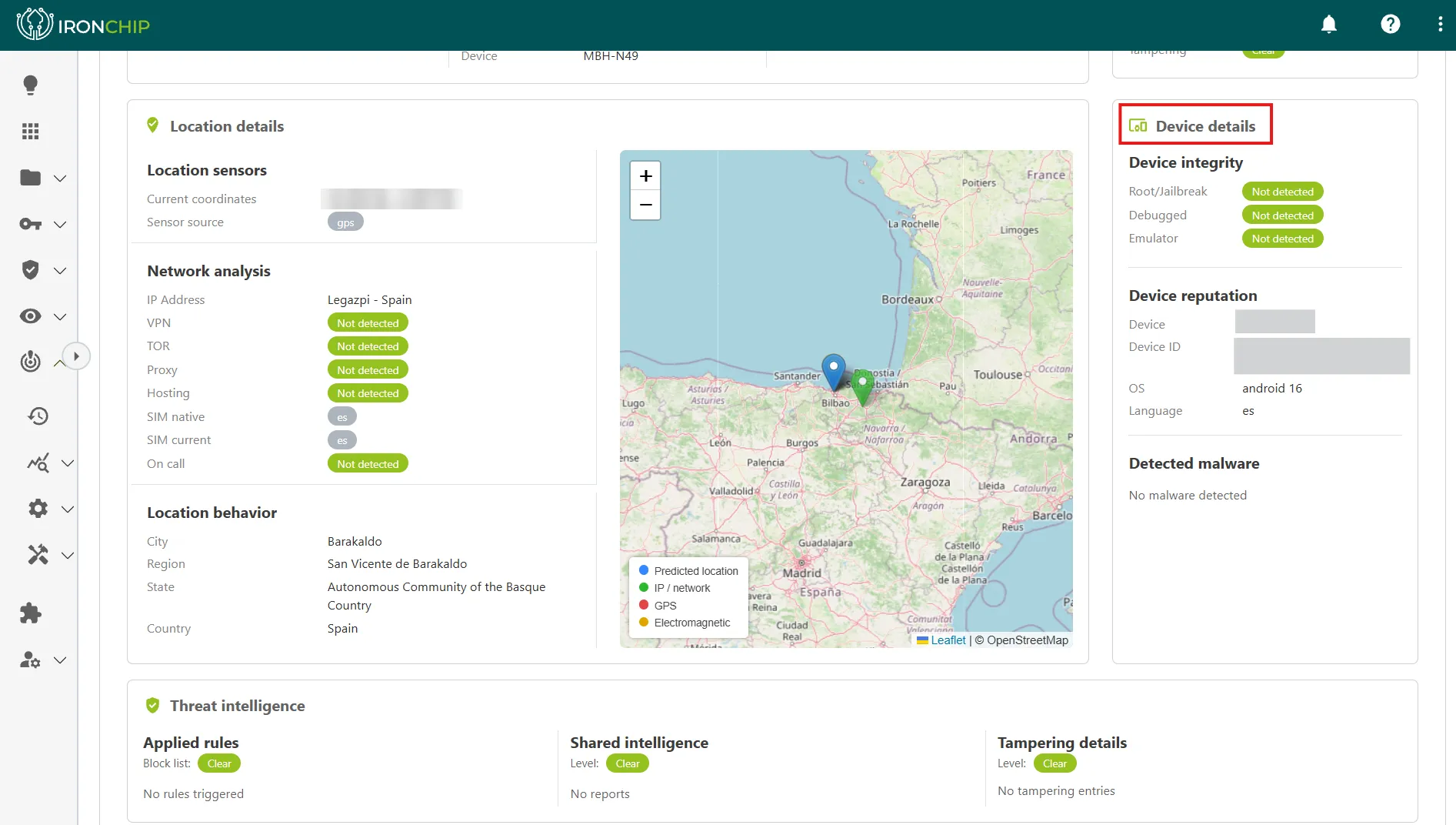
Device details
Section titled “Device details”This block includes the device integrity information that arrives through the Ironchip SDK, such as signs of Fake GPS or a rooted or jailbroken device.
Threat intelligence
Section titled “Threat intelligence”Threat intelligence provides additional context about the device, the user, or the location that may be relevant when you investigate the case.
Risk assessment levels
Section titled “Risk assessment levels”Ironchip classifies each analyzed action into one of these four levels:
| Level | Meaning |
|---|---|
fraud |
Ironchip considers the action fraudulent and part of a confirmed fraud. |
high_risk |
The action is potentially fraudulent. Preventive measures are recommended. |
low_risk |
Ironchip considers the action performed by the device to be safe. |
unknown_risk |
Ironchip doesn’t have enough evidence to issue an accurate assessment at the time of the request. |
Review the report history
Section titled “Review the report history”-
Click Back to reports to leave the individual report and return to the general list.
-
Click All time to see all available reports, with no date restriction.
-
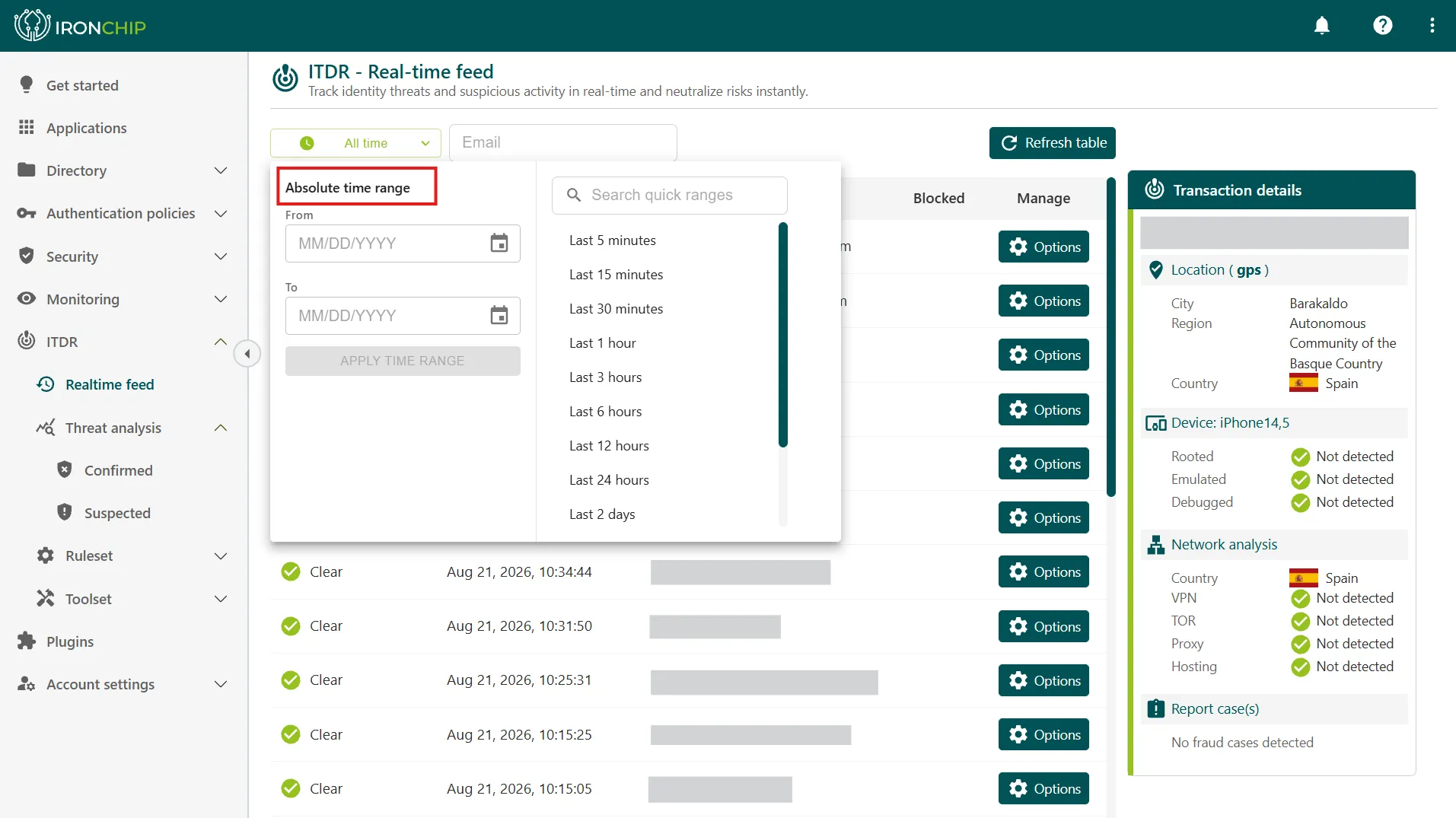
To narrow the list to a specific period, for example when you investigate a particular incident, use the date filter.
-
To investigate a user, filter the list by their email address.
Activity log
Section titled “Activity log”Besides ITDR, the console keeps a complete, auditable log of all the actions administrators take in the console and of all user authentication events. It records who signed in, when, from which location, to which service, and whether access was granted or denied. These logs are the basis of the evidence for ENS, NIS2, ISO 27001, and PCI DSS audits.
For more information, see Monitoring.
Was this page helpful?
Thank you. We will use it to improve the documentation. If you want to tell us what is missing or unclear, write to support@ironchip.com.