

Multi-account
The Ironchip authenticator app supports several profiles. To add a new profile, you first need to send an invitation to the account you want to add.
Add a profile to the authenticator
Section titled “Add a profile to the authenticator”-
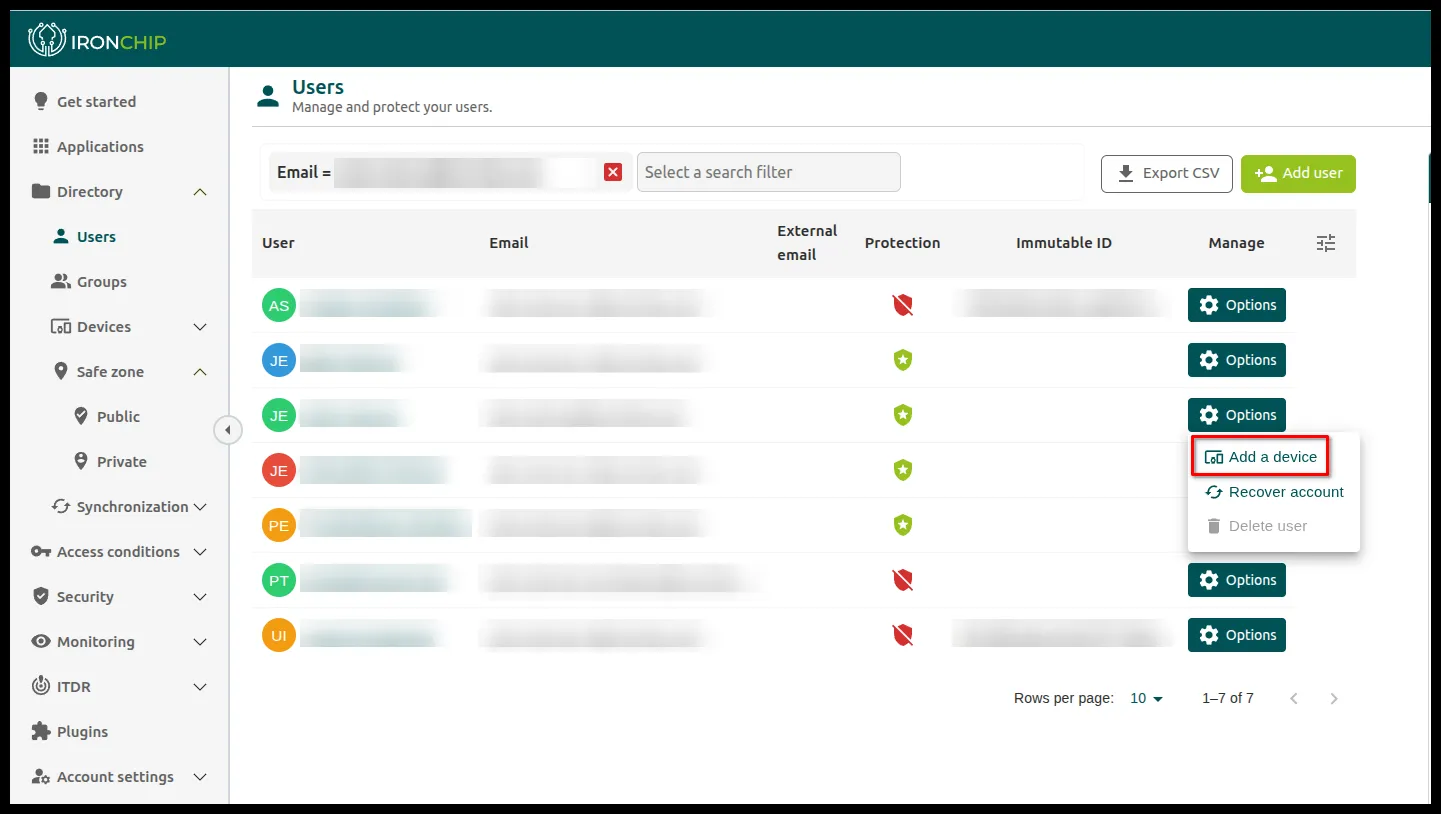
Send the invitation from the admin console: go to Directory > Users, open the Options menu of the user whose account you want to add, and click Add a device. For more on managing users, see Users and groups.
-
Open the authenticator app.
-
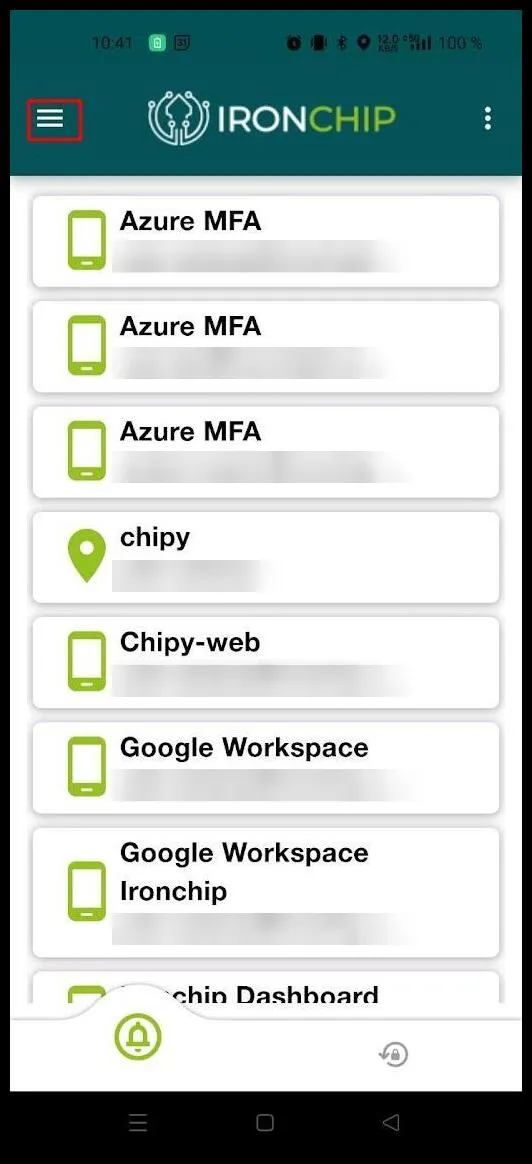
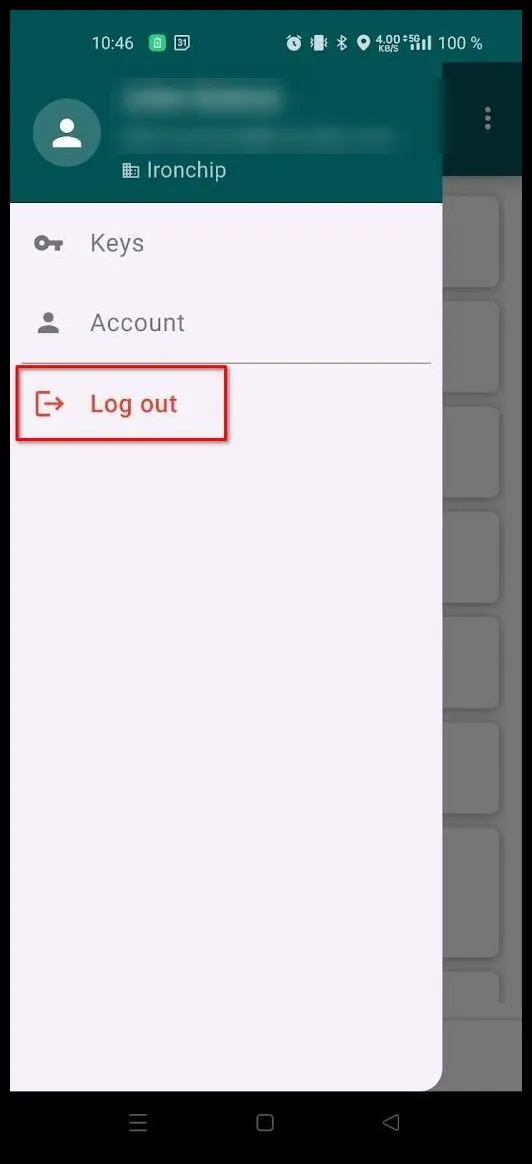
Tap the three-line menu in the upper-right corner and select Log out.
-
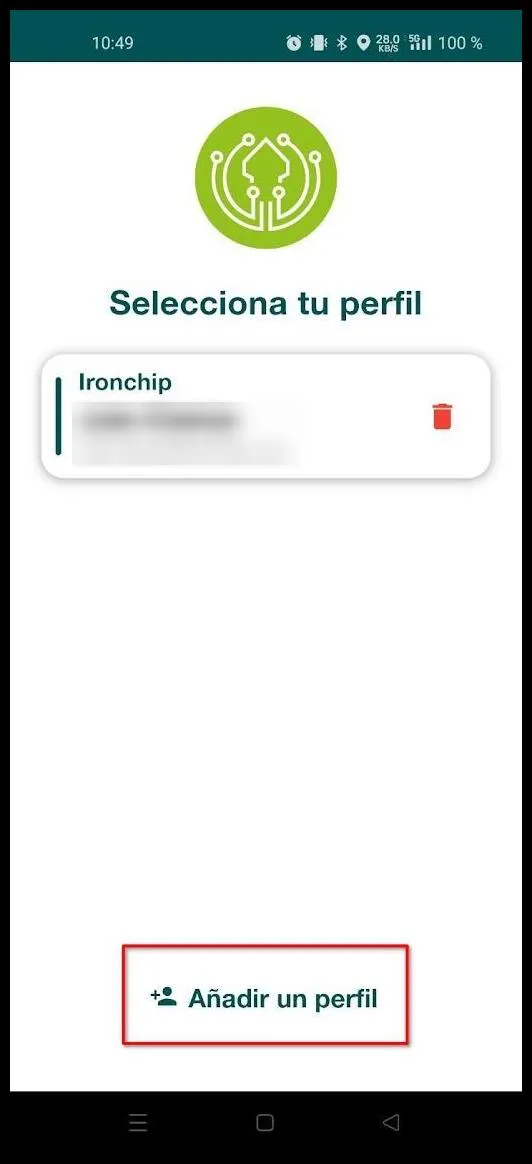
After you log out, the app shows the profile that is already set up. At the bottom, tap Añadir un perfil (Add a profile) to start enrollment with a new identity.
-
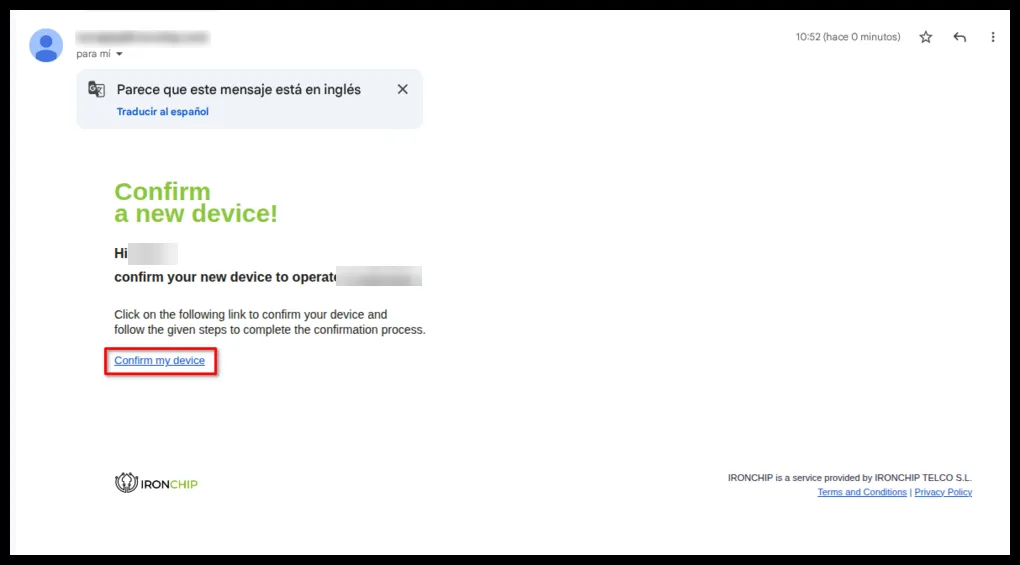
Open the email where you received the invitation, click Confirm my device, and follow the steps to finish enrolling the new identity in the authenticator.
Was this page helpful?
Thank you. We will use it to improve the documentation. If you want to tell us what is missing or unclear, write to support@ironchip.com.