

Automatic invitation
Automatic invitation (autoinvite) is a group option in the admin console. You can turn it on for an existing group or when you create a new one.
How it works
Section titled “How it works”Every user who is already in a group with automatic invitation turned on, or who is added to it later, gets their account activated and receives an email to set up their device with Ironchip.
Turn it on for an existing group
Section titled “Turn it on for an existing group”-
Go to Directory > Groups.
-
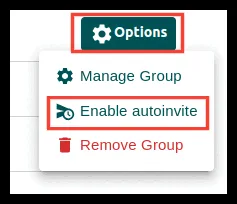
On the group you want to change, click Options.
-
Click Enable autoinvite.
Turn it on when you create a group
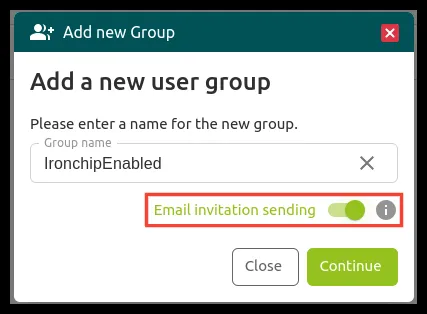
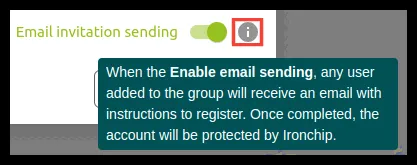
Section titled “Turn it on when you create a group”When you create the group with Add group, turn on the Email invitation sending option in the Add new Group window. For more on groups, see Users and groups.
Was this page helpful?
Thank you. We will use it to improve the documentation. If you want to tell us what is missing or unclear, write to support@ironchip.com.