

HashiCorp Boundary
This guide integrates Ironchip with Boundary to add a layer of security using Ironchip’s passwordless login, through OIDC.
Requirements
Section titled “Requirements”- A deployed Boundary.
- Access to the Ironchip admin console.
Configure Boundary
Section titled “Configure Boundary”-
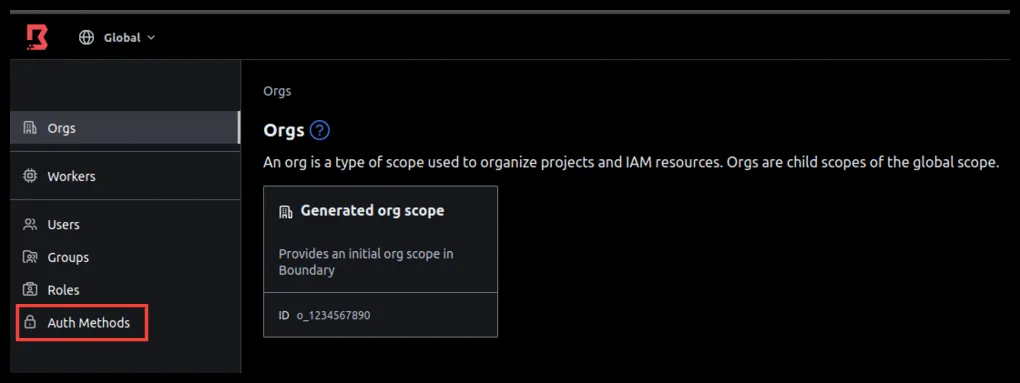
Go to Auth Methods.
-
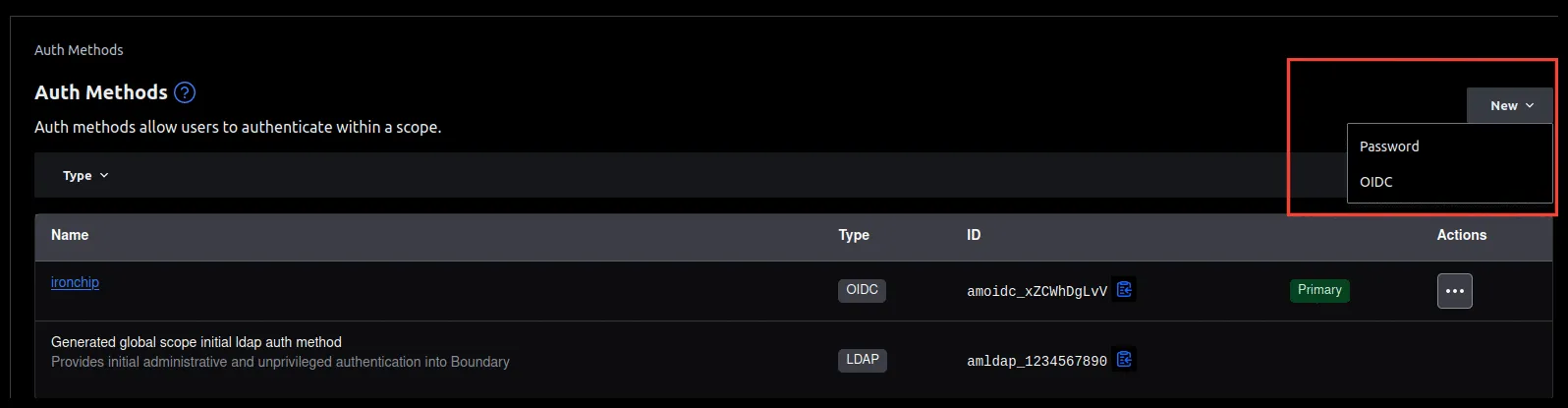
Click New and choose OIDC to create a new auth method.
-
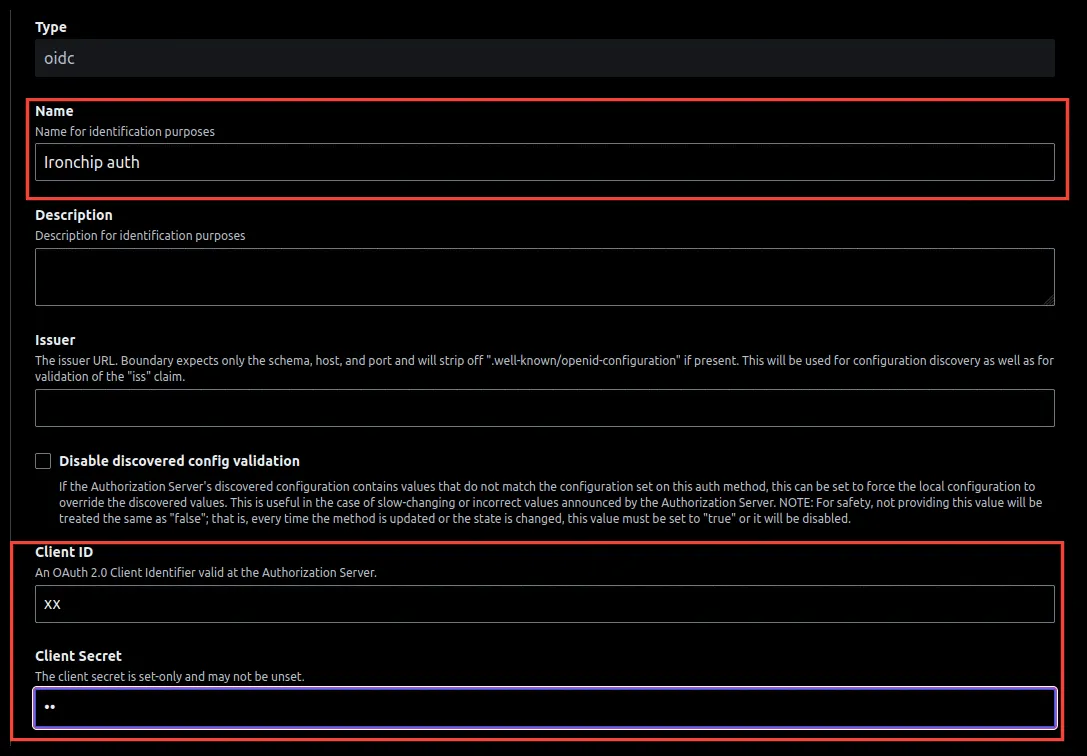
Give it an identifying name. In Client ID and Client Secret, enter any value so Boundary lets you save. You will change them later.
-
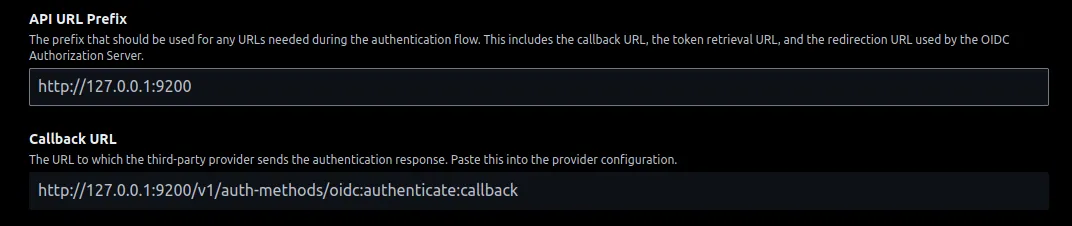
In API URL Prefix, enter the access address of Boundary. When you save, Boundary returns a URL that you use in Ironchip.
Configure Ironchip
Section titled “Configure Ironchip”-
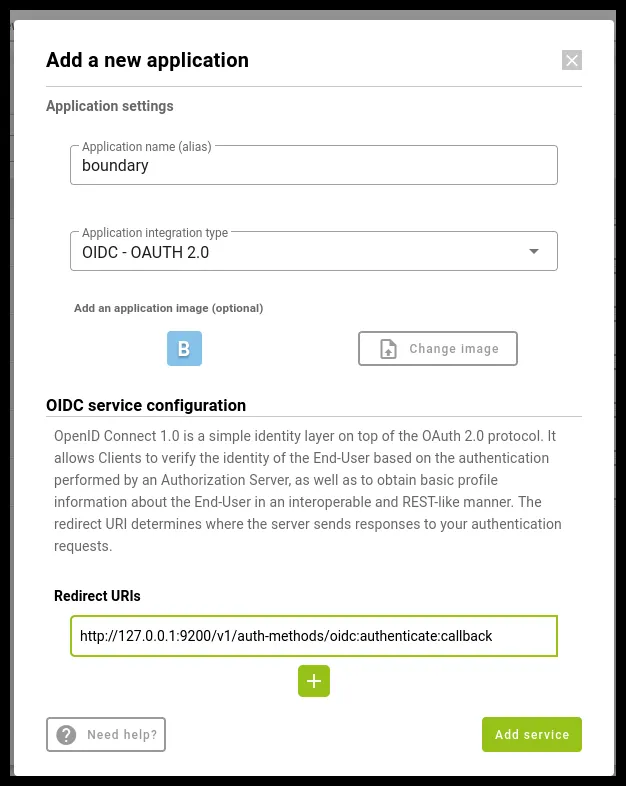
In the Ironchip admin console, create a new OIDC application and enter the URL you got from Boundary.
-
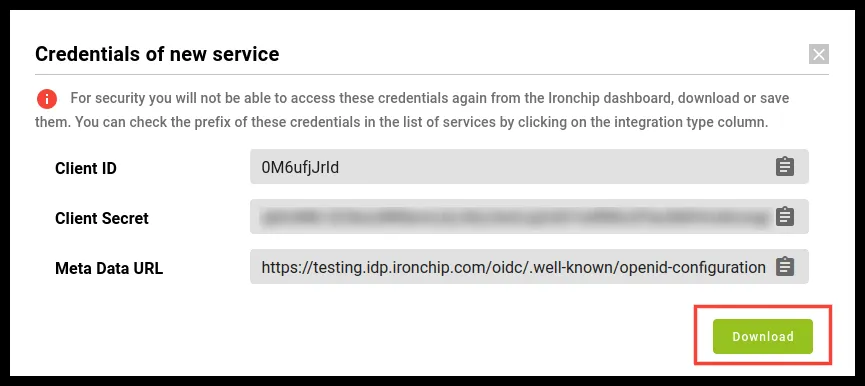
Download the document with the necessary IDs.
-
Add the users you want to the application.
Finish the configuration in Boundary
Section titled “Finish the configuration in Boundary”-
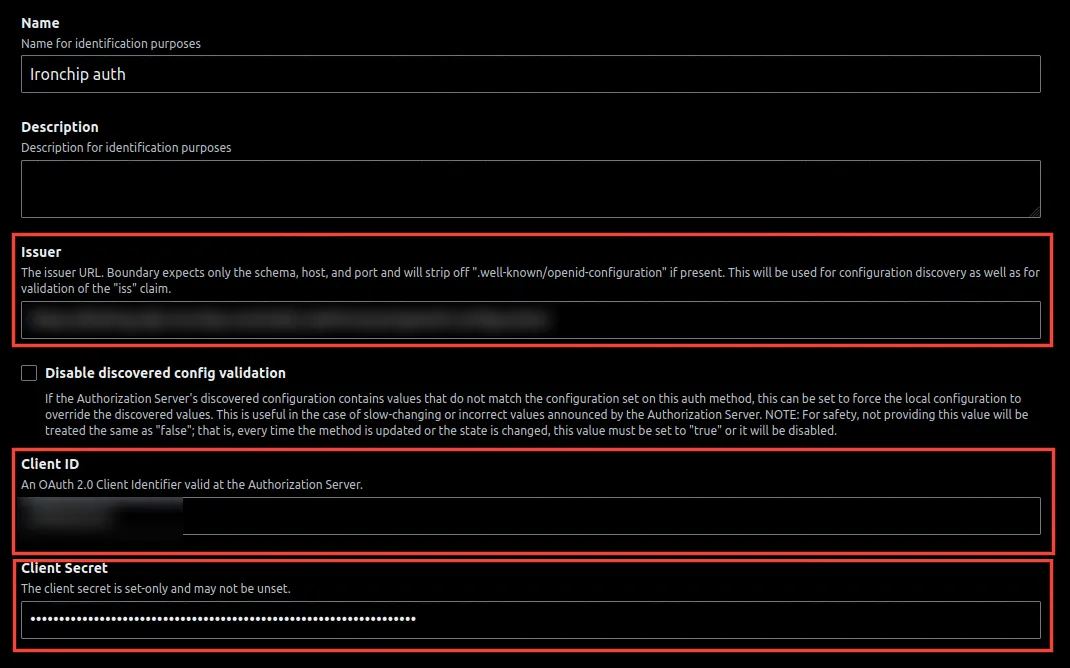
Back in the Boundary auth method, enter the data from the Ironchip document in the corresponding fields: Issuer, Client ID, and Client Secret.
-
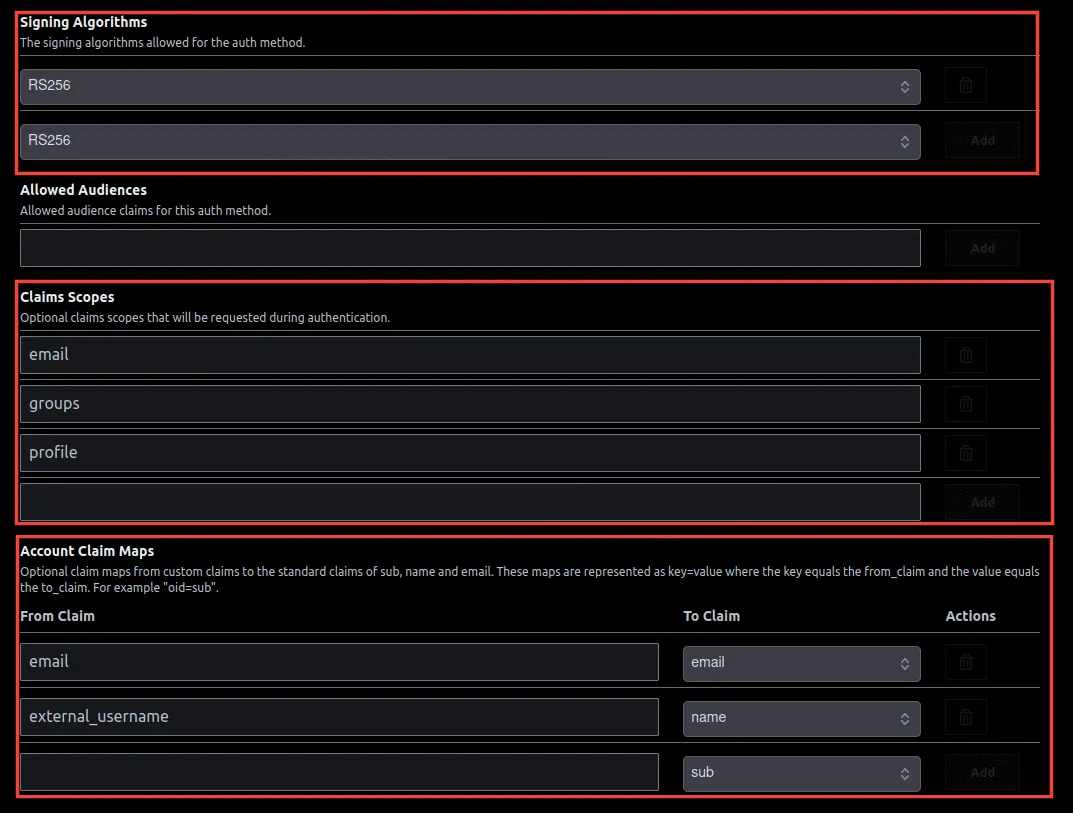
Add the remaining fields in their corresponding place:
- Signing Algorithms:
RS256. - Claims Scopes:
email,groups, andprofile. - Account Claim Maps:
emailtoemail, andexternal_usernametoname.
- Signing Algorithms:
Verify the integration
Section titled “Verify the integration”-
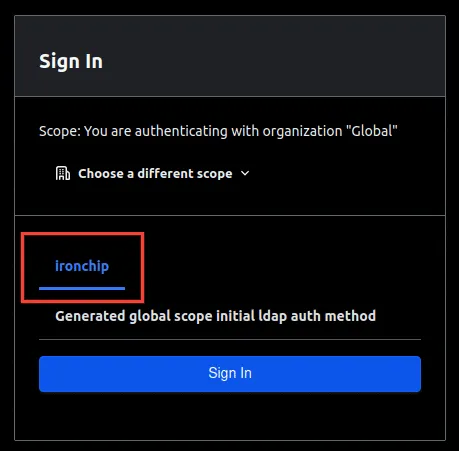
Sign out of Boundary and sign back in with the Ironchip option.
-
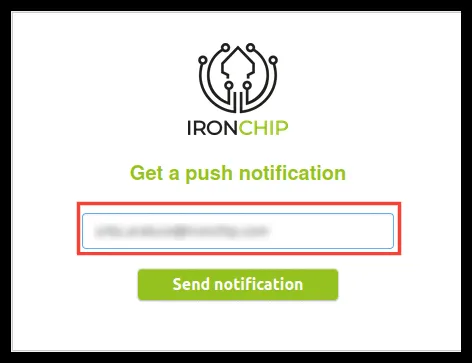
Enter the credentials of the user you added to the Ironchip application.
-
Authorize access with the notification from the mobile or desktop app.
If you want this user to have permissions in Boundary, add its credentials to the Boundary administrator.
Troubleshooting
Section titled “Troubleshooting”The Docker machine cannot resolve the domain ironchip.com. Add the domain to the /etc/hosts file of the machine that resolves the domain.
When you check the issuer, https://idp.ironchip.com/oidc/ appears and an error occurs. Remove the / at the end.
Was this page helpful?
Thank you. We will use it to improve the documentation. If you want to tell us what is missing or unclear, write to support@ironchip.com.