

Sites
A site says where the machines are: a datacenter, an office or a cloud account. This page explains how to create sites. It is for whoever administers PAM resources.
Every resource belongs to a site, so create at least one before you register the first resource. A site says where the machines are, not who reaches them: that is decided by accesses, with target policies that can mix sites. For example, Production Linux can include servers in Madrid and in AWS.
With Ironchip Connect, each site has its own connector and the broker reaches the site’s machines through it.
Create a site
Section titled “Create a site”-
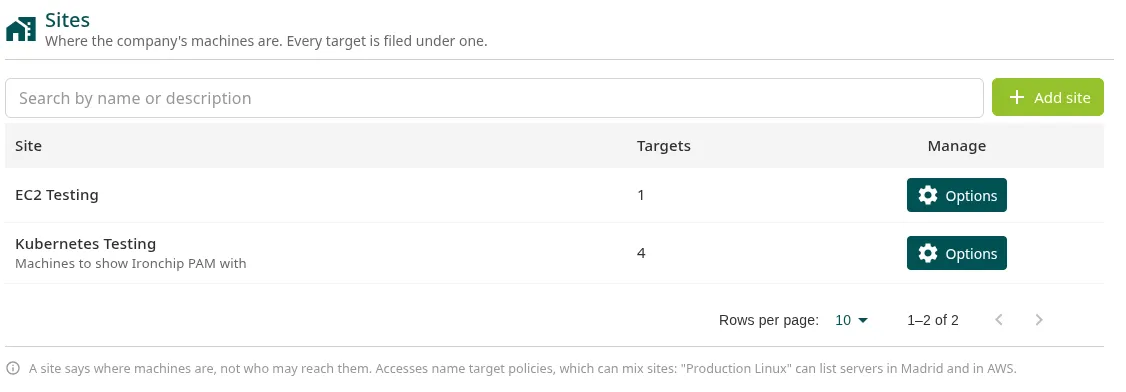
Go to PAM > Hosts > Sites and click Add site.
-
Enter a Name (up to 60 characters, unique in the company), for example
Madrid datacenter. -
Optionally, add a Description (optional), for example
Rack B, through the Madrid connector. -
Click Add site.
Change or delete a site
Section titled “Change or delete a site”In the site’s row, open Options:
- Edit site changes the name or the description.
- Remove site deletes it. You can only do this if the site has no resources: move them to another site or delete them first.
The Targets column counts the site’s resources, including each machine’s additional accounts.
Next steps
Section titled “Next steps”- Resources: register the site’s machines.
Was this page helpful?
Thank you. We will use it to improve the documentation. If you want to tell us what is missing or unclear, write to support@ironchip.com.