

Fraud console user guide
This guide explains the concepts you need to read the fraud console: how Ironchip handles privacy and recognizes usual places, what the identifiers mean, and which behaviors, warnings, and frauds the engine detects, with examples.
To learn about risk levels and the evidence behind each assessment, see Risk assessment.
Privacy
Section titled “Privacy”Ironchip develops all its products following the privacy by design framework: privacy is built into the solutions at every level, from the initial idea to the product launch.
The technology prevents access to information that could re-identify users. Ironchip does not collect:
- Unique static device identifiers, such as IMEI or MAC.
- Associated accounts, such as email or phone number.
- Civil identification data, such as name or social security number.
- Sensitive data: ethnicity, religion, political opinion, membership in religious, philosophical, political, or union organizations, and data about health, sex life, genetics, or biometrics.
The solution needs to collect data from mobile devices through an SDK. Once authorized, the Ironchip SDK starts collecting data without personally identifying any user. Users can deny data collection by opting out, which disables collection for them.
For more information, read the privacy policy.
Usual places and safe zones
Section titled “Usual places and safe zones”How Ironchip knows a place is usual
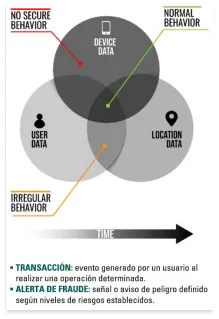
Section titled “How Ironchip knows a place is usual”By repetition: once several successful transactions have been made from a place, it is considered usual for that user and device. Each user can have several safe or usual places, and recurring events or transactions from the same place are needed to classify it as such.
If user, device, and location are correctly correlated, Ironchip verifies that the user is who they claim to be and that they are operating from a usual place.
What a safe zone is
Section titled “What a safe zone is”A safe zone is an area from which the user usually operates. A fraudulent operation tends to take place far from safe zones. This dimension is added to fraud detection systems without violating customer privacy, because the system does not allow reverse geolocation.
The safe zone concept is complemented by the Ironchip device recognition system, which assigns a fingerprint linked to a unique, anonymous device.
Business concepts
Section titled “Business concepts”- Transaction: any customer-initiated action that needs to be analyzed for fraud detection.
- Report: the written analysis of the transaction, which specifies the fraud case.
- Report details: the context used to generate the report.
- The user, device, and location information.
- Related transactions (with a common user, device, or location).
- Users who have used the same device before.
- Users who have been reported at the same location before.
- Reported cases: the different results an analysis can report, based on the use cases.
Device integrity
Section titled “Device integrity”The Ironchip SDK sends fake GPS and root (or jailbreak) information to determine device integrity.
- Fake GPS: mobile apps that set a fake location on a user’s device. Apps installed on the device receive illegitimate location data instead of the real location.
- Root (or jailbreak): the process that gives full access to the mobile operating system, meaning access to permissions that let you change advanced elements of the device system.
Ironchip applies different methodologies to identify forged GPS data and rooting or jailbreaking signals. These methodologies are part of the data returned by the Ironchip APIs in several use cases.
Identifiers
Section titled “Identifiers”- Application ID: the identification number the Ironchip SDK uses to identify your app. Ironchip generates it and it cannot be changed.
- Transaction ID: uniquely identifies each transaction. Ironchip customers generate it to represent each unique transaction in their app. It is required by the Transaction API and is used with the Report API to track the transaction.
- User ID: uniquely identifies each user account. Ironchip customers generate it to represent each unique user of their app. It is required by the Transaction API and is used with the Report API to track who makes the transactions.
Behaviors
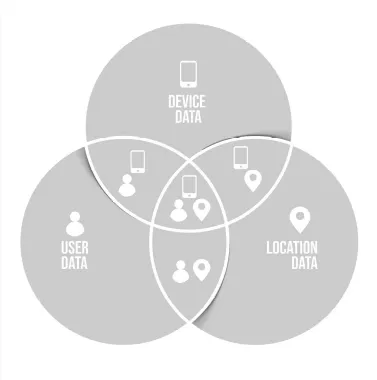
Section titled “Behaviors”New user
Section titled “New user”A new user on the platform, so there is no prior information about the user, device, or location.
Common usage
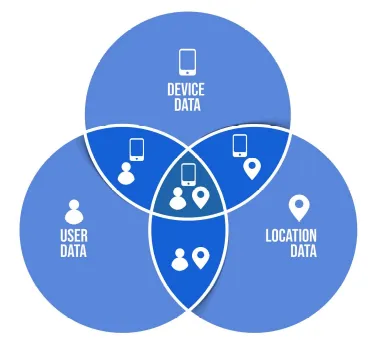
Section titled “Common usage”A previously registered user operates as usual, with their device and location already registered.
Warnings
Section titled “Warnings”Device swapping
Section titled “Device swapping”Occurs when the user does not use their usual device.
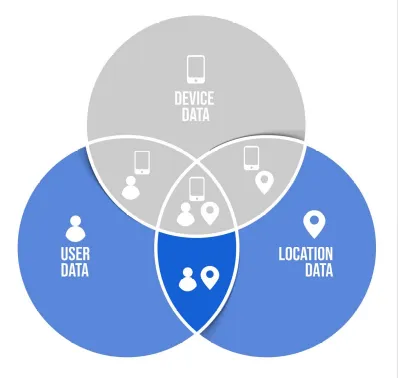
Result: warning, device swapping.
Example: the user makes a transaction with a new device.
Requirements:
- User-1 must be registered.
- Device-2 must be a new device.
Procedure:
- User-1 logs in and makes a transfer with Device-1.
- User-1 logs in and makes a transfer with Device-2 from Location-1.
Location swapping
Section titled “Location swapping”Occurs when the user does not operate from their usual location.
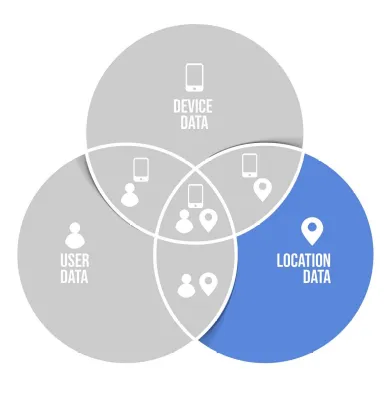
Result: warning, location swapping.
Example: the user makes a transaction from another user’s usual location.
Requirements:
- User-1 must be registered and have made transfers.
- User-2 must register with a new device.
Procedure:
- User-1 logs in and makes a transfer from Location-1.
- User-2 registers with a new device.
- User-2 logs in and makes a transfer from the same location as User-1.
Frauds
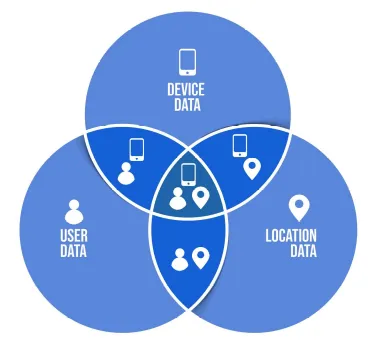
Section titled “Frauds”Location fraud
Section titled “Location fraud”Ironchip can detect location fraud. When a location is registered, its radio fingerprint is stored and is always tied to a geoposition. In later operations, Ironchip always compares these two variables. If they do not match, it assumes the location is fraudulent.
Phishing
Section titled “Phishing”Phishing is a social engineering attack often used to steal user data, including login credentials and credit card numbers. It occurs when an attacker repeatedly defrauds through SIM swapping.
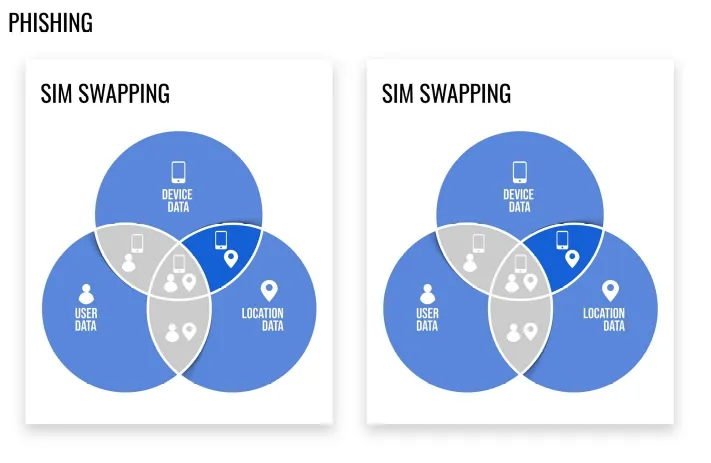
Result: fraud, phishing.
Example: a user makes a transaction with another user’s device from an unusual location.
Requirements:
- User-1 must be registered.
- User-2 must be registered.
- Location-3 must be a new location.
Procedure:
- User-1 logs in and makes a transfer with Device-1.
- User-2 logs in and makes a transfer with Device-2.
- User-2 logs in and makes a transfer with Device-1 from Location-3.
SIM swapping
Section titled “SIM swapping”SIM swapping fraud is an account takeover scam that exploits a weakness in some forms of two-factor authentication, where a call or text message to a mobile phone is the second factor.
Result: fraud, SIM swapping.
Example: a user makes a transaction with another user’s device from their usual location.
Requirements:
- User-1 must be registered.
- User-2 must be registered.
Procedure:
- User-1 logs in and makes a transfer with Device-1 from Location-1.
- User-2 logs in and makes a transfer with Device-2 from Location-2.
- User-2 logs in and makes a transfer with Device-1 from Location-1.
Synthetic identity
Section titled “Synthetic identity”Synthetic identity fraud (SIF) is the use of a combination of personally identifiable information (PII) to fabricate a person or entity in order to commit a dishonest act for personal or financial gain. In other words, it is a combination of fabricated credentials where the implied identity does not belong to a real person.
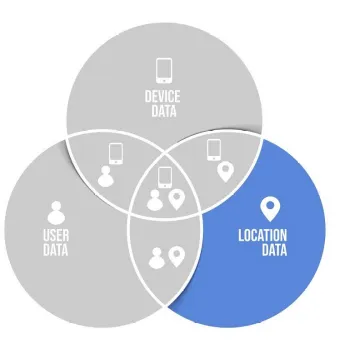
Result: fraud, synthetic identity.
Example: a new user registers with a device already registered by another user.
Requirements:
- User-1 must be registered and have made transfers.
- User-2 must register with User-1’s device.
Procedure:
- User-1 logs in and makes a transfer with Device-1.
- User-2 registers with Device-1.
- User-2 logs in and makes a transfer with Device-1.
Was this page helpful?
Thank you. We will use it to improve the documentation. If you want to tell us what is missing or unclear, write to support@ironchip.com.