

Reports API
The reports API is how your backend reads the result of every operation evaluated by the fraud engine. The SDK sends the transaction; the API returns the report. The full reference is generated from the OpenAPI specification, with request examples in several languages.
The API provides seamless identity verification that reduces the time needed to verify and onboard trusted users, and detects application fraud. It checks device location behavior to provide a risk assessment and supporting evidence. When a device is new to the Ironchip network, Ironchip determines the location of the new user; after that, each operation collects location data and provides an updated risk assessment. To evaluate a new registration, Ironchip needs to receive a token that identifies the device it comes from.
Authentication
Section titled “Authentication”All endpoints are protected by an API key. Send the key in the Authorization header, with no prefix:
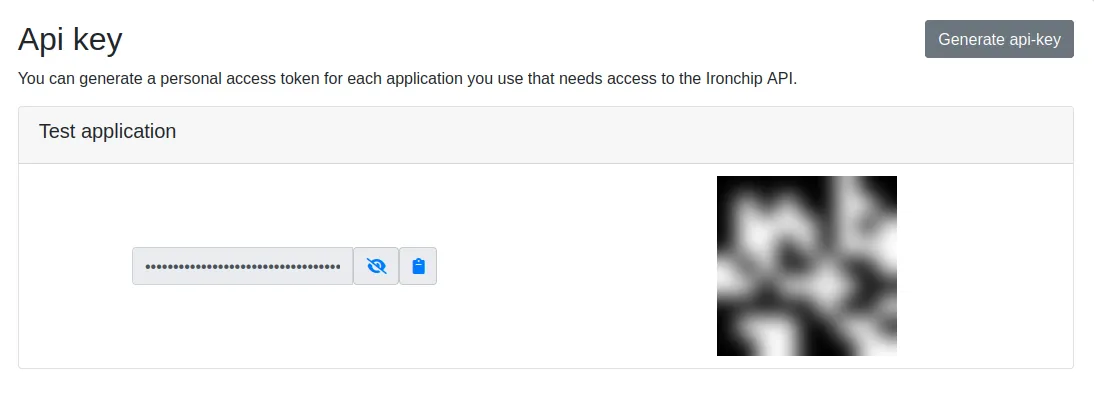
GET /reports/example-transaction-id HTTP/1.1Host: report.lbfraud.ironchip.comAccept: application/jsonAuthorization: example-api-keyTo generate it, go to the Credentials page in the console and click Generate api-key. The API key gives access to all API requests. The QR code shown next to the key is used to synchronize the mobile app with the console.
Get the report of a transaction
Section titled “Get the report of a transaction”The usual flow is to request the report right after the app sends the transaction. The timeout parameter makes the API wait until the report is ready. The language you choose here is remembered across the rest of the documentation.
GET /reports/{transaction_id} accepts these parameters:
| Parameter | Origin | Type | Default | Description |
|---|---|---|---|---|
transaction_id |
path | string | Required. Transaction ID. | |
limit |
query | integer | 20 |
Maximum number of reports (maximum 100). |
page |
query | integer | 1 |
Reports page. |
since |
query | string | 30d |
Maximum age of the report, counted from its generation (number and unit suffix: 30d, 12h, 15m). |
timeout |
query | string | 5s |
Maximum time to wait for the report to be processed (for example, 5s or 1m). Use it if you request the report before the transaction completes. |
curl 'https://report.lbfraud.ironchip.com/reports/example-transaction-id?since=30d&timeout=5s' \ -H 'Accept: application/json' \ -H "Authorization: $IRONCHIP_API_KEY"const url = new URL('https://report.lbfraud.ironchip.com/reports/example-transaction-id');url.search = new URLSearchParams({ since: '30d', timeout: '5s' }).toString();
const res = await fetch(url, { headers: { Accept: 'application/json', Authorization: process.env.IRONCHIP_API_KEY },});if (!res.ok) throw new Error(`Ironchip ${res.status}: ${await res.text()}`);
const [report] = await res.json();console.log(report.event.risk_assignment, report.event.fraud_cases);import osimport requests
response = requests.get( "https://report.lbfraud.ironchip.com/reports/example-transaction-id", params={"since": "30d", "timeout": "5s"}, headers={"Accept": "application/json", "Authorization": os.environ["IRONCHIP_API_KEY"]}, timeout=10,)response.raise_for_status()
report = response.json()[0]print(report["event"]["risk_assignment"], report["event"]["fraud_cases"])req, _ := http.NewRequest(http.MethodGet, "https://report.lbfraud.ironchip.com/reports/example-transaction-id?since=30d&timeout=5s", nil)req.Header.Set("Accept", "application/json")req.Header.Set("Authorization", os.Getenv("IRONCHIP_API_KEY"))
res, err := http.DefaultClient.Do(req)if err != nil { log.Fatal(err)}defer res.Body.Close()
var reports []struct { Event struct { RiskAssignment string `json:"risk_assignment"` FraudCases []string `json:"fraud_cases"` } `json:"event"`}if err := json.NewDecoder(res.Body).Decode(&reports); err != nil { log.Fatal(err)}fmt.Println(reports[0].Event.RiskAssignment, reports[0].Event.FraudCases)HttpClient client = HttpClient.newHttpClient();HttpRequest request = HttpRequest.newBuilder() .uri(URI.create("https://report.lbfraud.ironchip.com/reports/example-transaction-id?since=30d&timeout=5s")) .header("Accept", "application/json") .header("Authorization", System.getenv("IRONCHIP_API_KEY")) .GET() .build();
HttpResponse<String> response = client.send(request, HttpResponse.BodyHandlers.ofString());if (response.statusCode() != 200) { throw new IllegalStateException("Ironchip " + response.statusCode() + ": " + response.body());}// response.body() is a JSON array of reports; parse it with Jackson, Gson, or the library you use.System.out.println(response.body());The response is a list of reports (usually one). The fields that matter are event.risk_assignment and event.fraud_cases:
[ { "id": 184233, "application_id": "mobile-banking", "transaction_id": "example-transaction-id", "timestamp": 1759920000000000000, "event": { "risk_assignment": "high_risk", "fraud_cases": ["SIM Swapping / ATO"], "timestamp": 1759920000 }, "user": { "id": "user-123" }, "device": { "id": "6f1c…", "model": "Pixel 8", "integrity": { "rooted": false, "emulated": false, "debugged": false, "gps_spoofed": false }, "sensors": { "gps": true, "wifi": true, "wifi_connected": false, "mobile_networks": true } }, "ip": { "vpn": true, "tor": false, "address": { "country_code": "ES", "city": "Madrid" } }, "location": { "location_type": "lte", "address": { "country_code": "ES", "city": "Bilbao" } }, "descriptive_report": "New device for the user, operating through a VPN, 400 km away from the usual zone." }]Report fields
Section titled “Report fields”Each report in a 200 response includes these fields. The full reference details the nested objects.
| Field | Type | Description |
|---|---|---|
id |
integer | Unique report identifier, usable to check whether the assessment changed in later calls. |
transaction_id |
string | Unique identifier of the user’s transaction. |
application_id |
string | Application ID. |
timestamp |
integer | Time the report was generated, in nanoseconds. |
event |
object | Assessment result: the risk assessment and the fraud cases. |
user |
object | Information about the user who made the transaction. |
device |
object | Information about the device used for the transaction. |
ip |
object | Information about the IP used for the transaction. |
location |
object | Information about the location of the transaction. |
geo_location |
object | Location obtained from GPS. |
em_location |
object | Location obtained from the surrounding Wi-Fi and mobile networks. |
extra_data |
object | Additional data sent with the transaction (JSON). |
descriptive_report |
string | Summary that any customer can understand. |
Interpret the risk level
Section titled “Interpret the risk level”risk_assignment |
Meaning | Recommendation |
|---|---|---|
fraud |
Ironchip considers the action fraudulent. | Block and review. |
high_risk |
The action is potentially fraudulent. | Ask for additional verification. |
low_risk |
The action is safe to accept. | Continue. |
unknown_risk |
Ironchip can’t provide a precise assessment at the time of the request. | Apply your default policy. |
The values of fraud_cases and the evidence per sensor are described in Evidence and decisions.
Send feedback
Section titled “Send feedback”When an analyst confirms or corrects the result of an operation, your backend reports it with POST /feedback/{transaction_id}. Ironchip uses this feedback to improve future fraud detections:
curl -X POST 'https://report.lbfraud.ironchip.com/feedback/example-transaction-id' \ -H 'Accept: application/json' \ -H "Authorization: $IRONCHIP_API_KEY" \ -H 'Content-Type: application/json' \ -d '{ "behaviour": { "desired": { "fraud_cases": ["device swapping", "location swapping"], "risk_assignment": "clear" } }, "impact": { "description": "The transaction was detected as fraud instead of low risk" }, "reporter": { "email": "analyst@bank.example", "name": "Name", "surname": "Surname" }, "situation": { "description": "The customer has downloaded the app to an unknown device located in a new country" }, "valuation": { "annotations": "It is not possible to tell a real customer from a fake one without customer confirmation", "score": 8, "type": "Corrective" } }'The API responds 200 with no body when it records the feedback, and 400 if the body is not valid JSON. These are the fields:
| Field | Type | Description |
|---|---|---|
behaviour.desired.risk_assignment |
string | The result you expected: fraud, high, low, or clear. |
behaviour.desired.fraud_cases |
array | Fraud cases that should (or should not) have been detected. |
impact.description |
string | Impact the result had (maximum 100 characters). |
situation.description |
string | Context of the operation when it was evaluated (maximum 100 characters). |
reporter.name, surname, email |
string | Who sends the feedback (maximum 50 characters each). |
valuation.type |
string | Positive, Negative, or Corrective. |
valuation.score |
integer | Score from 0 to 10. |
valuation.annotations |
string | Free-form notes (maximum 100 characters). |
List reports
Section titled “List reports”GET /reports returns all the reports of the application, paginated 20 per page by default (limit, with a maximum of 100, and page parameters). You can only query reports of the application the key belongs to. It is useful for reconciliation and for feeding your SIEM, but to decide in real time always use the per-transaction lookup.
curl 'https://report.lbfraud.ironchip.com/reports?limit=20&page=1' \ -H 'Accept: application/json' \ -H "Authorization: $IRONCHIP_API_KEY"Errors
Section titled “Errors”All error responses share the format described in Error responses. Include the traceability_id when you open a ticket.
Libraries
Section titled “Libraries”Official libraries are available to assist integration with the Ironchip API. They wrap the API and handle transparent API authentication, requests for all available endpoints, and HTTP error handling. Ask support for the one that matches your backend language.
Was this page helpful?
Thank you. We will use it to improve the documentation. If you want to tell us what is missing or unclear, write to support@ironchip.com.